
Meter Indicator (SCCU)
轉動你的心-探索雅馬哈摩托車的世界
儀表指示器
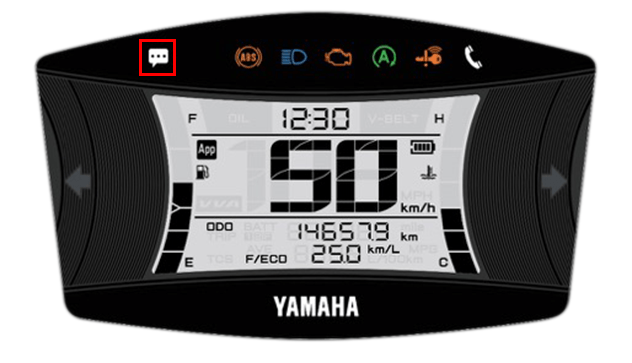
Displays incoming calls and other notifications
from your smartphone on the meter display
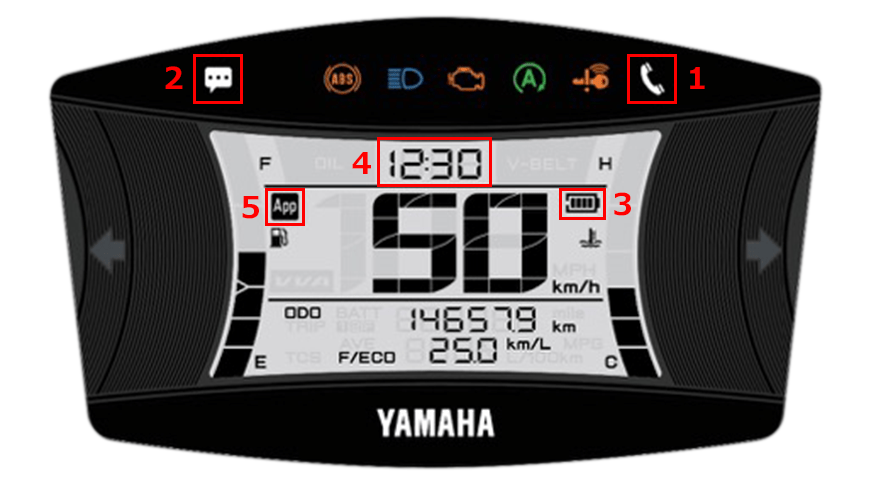
| 1 | 來電通知 |
|---|---|
| 2 | E-mail/Messenger notifications |
| 3 | 智慧型手機的剩餘電池電量 |
| 4 | 時間顯示(自動調整) |
| 5 | 連接顯示 |
In-app settings
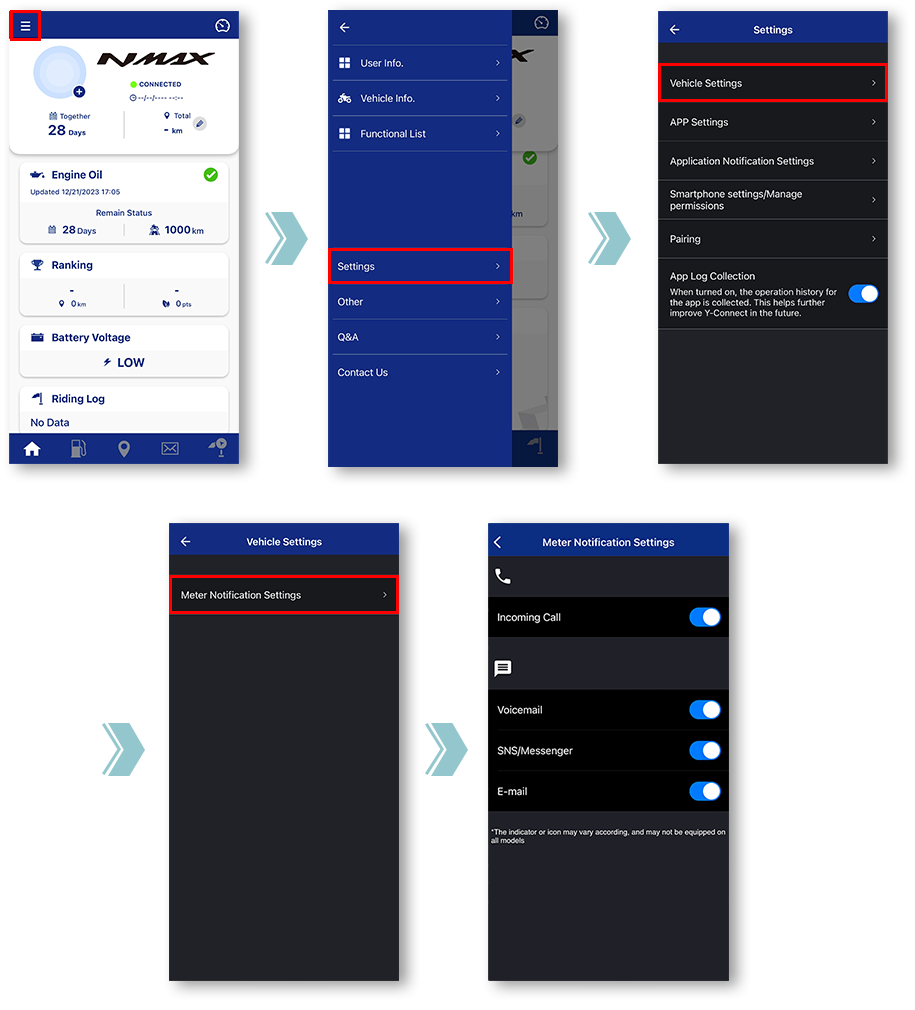
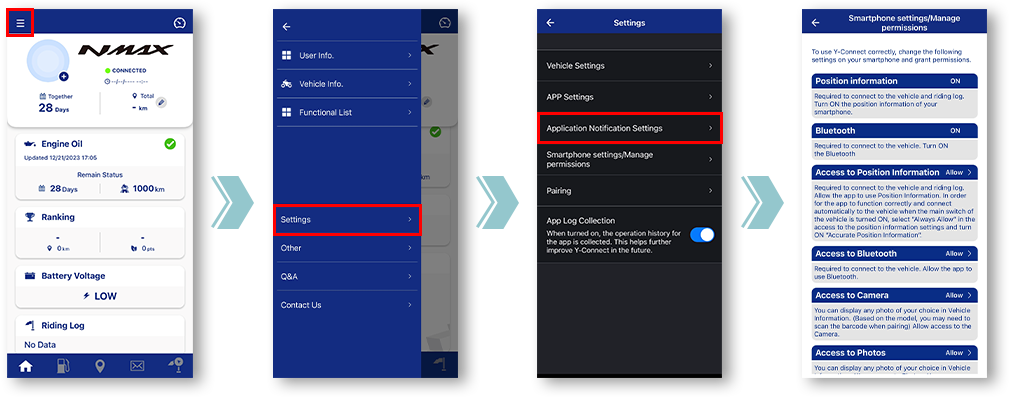
Tap "Vehicle Settings".
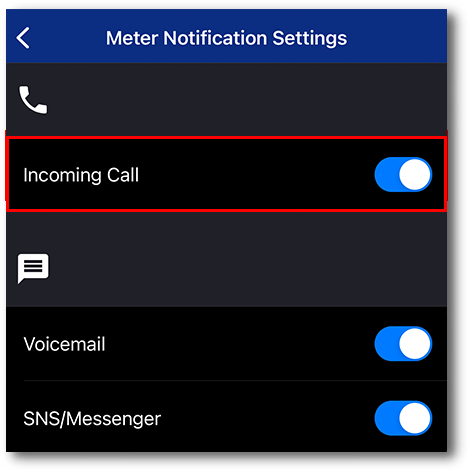
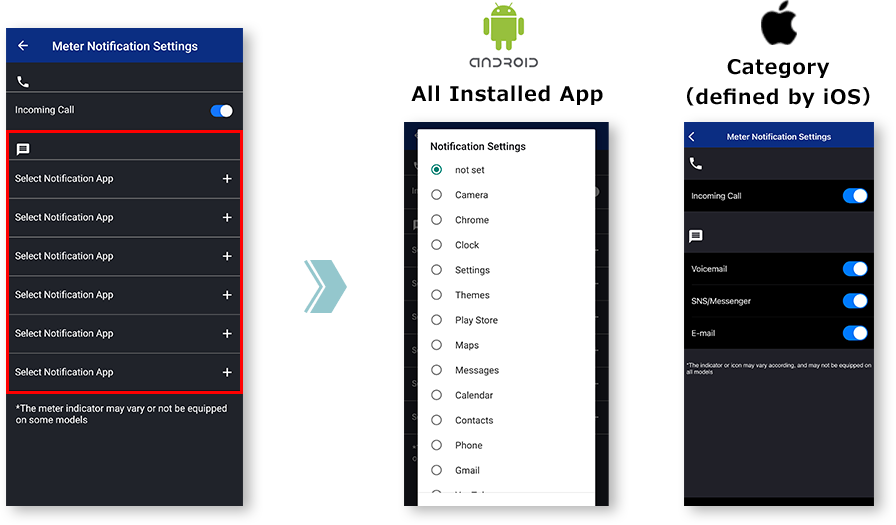
Tap "Meter Notification Settings".
Miscellaneous Settings will be displayed.
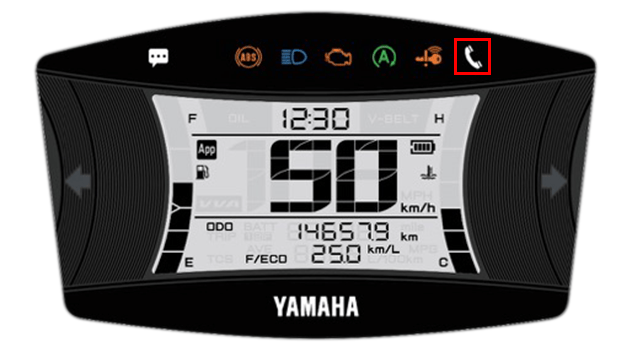
■Incoming call notification
閃爍時
Incoming call in progress.
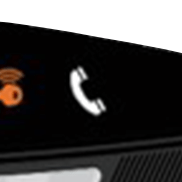
點亮時
You have a missed call.
The light can be turned off by turning off the main switch of the motorcycle.
The light can be turned off by turning off the main switch of the motorcycle.
■E-mail/Messenger
notifications
When receiving a call, it will light up after blinking for 10 seconds
The light can be turned off by turning off the main switch of the motorcycle.
*Notifications will not be displayed when the app and the motorcycle are not connected.
The light can be turned off by turning off the main switch of the motorcycle.
*Notifications will not be displayed when the app and the motorcycle are not connected.
筆記

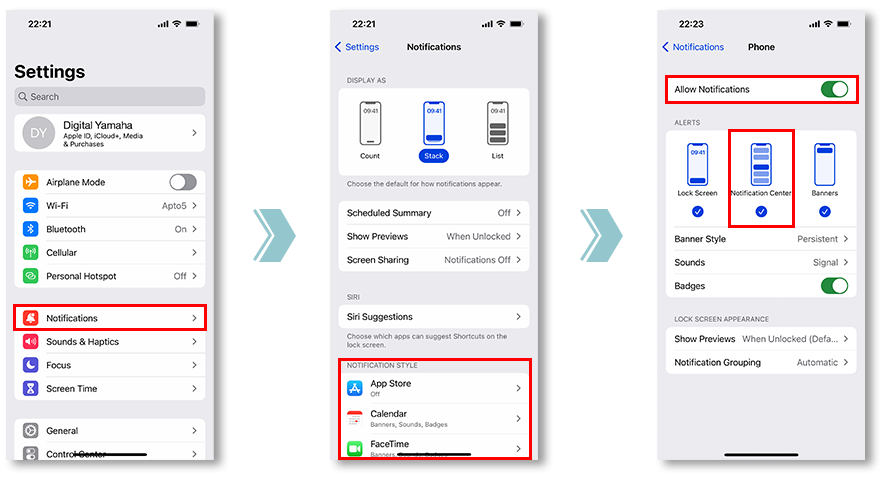
為此,請檢查您要同步的應用程式的通知設定。
and allowing notifications from the app is required.
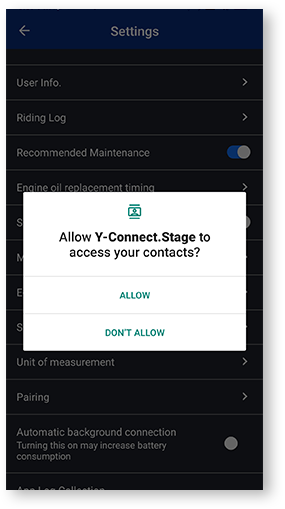
若點選「拒絕」一次,下次開啟「設定」畫面時,將顯示「不再顯示」核取方塊對話方塊。
如果選擇“不再顯示”,則再次顯示此對話方塊將很困難。該菜單由每個行動運營商公司定制。
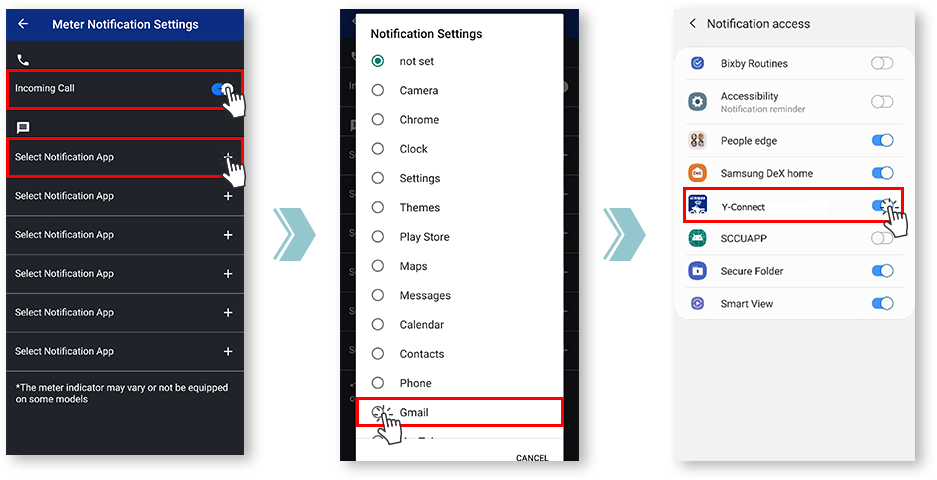
Notification settings for various apps
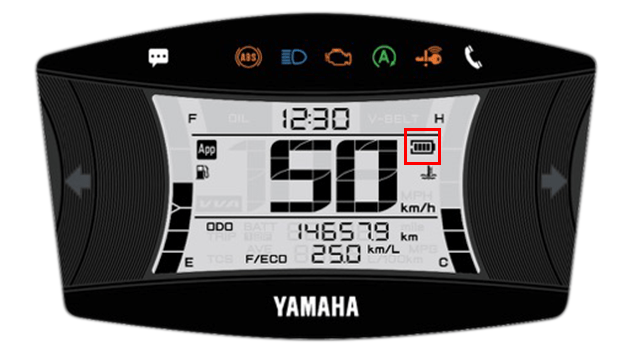
■Remaining battery level
of the smartphone
- 電池電量
-

- 電池圖示
-

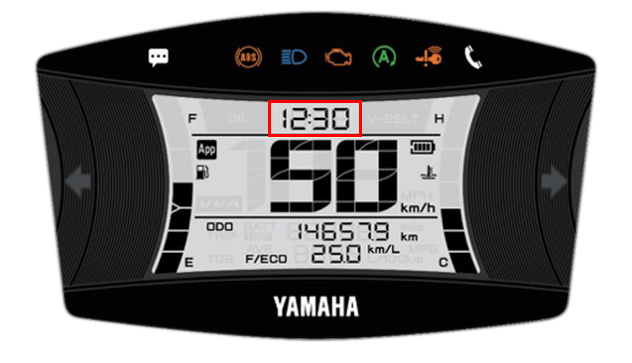
■Time display
(automatic adjustment)
連線後,Y-Connect 會自動調整儀表時鐘。
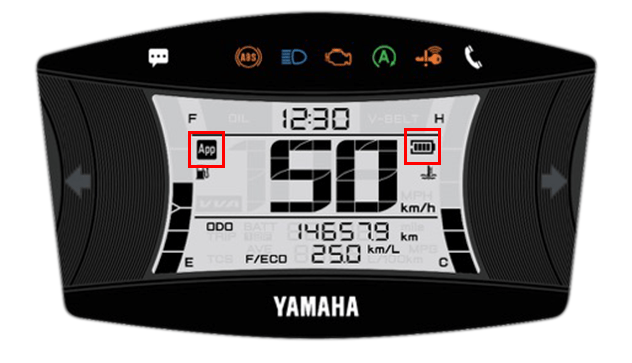
■Connection display
您可以使用 Y-Connect 檢查連線狀態。
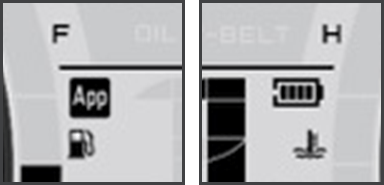
The "App" icon and "Phone Batt Status" icon will be displayed when connected.
* For some models, the "Phone Batt Status" icon may not be displayed.
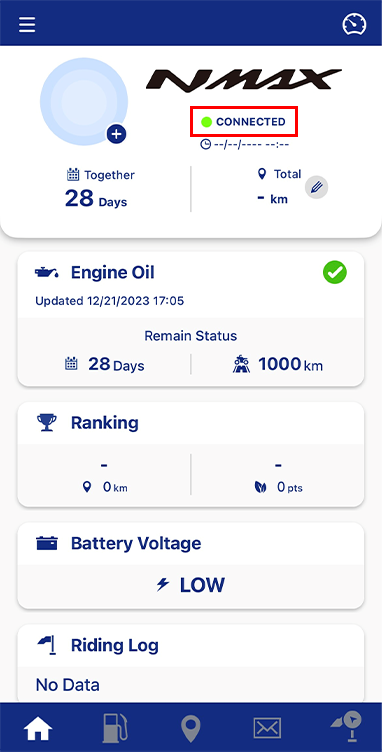
您可以在摩托車名稱下方的文字中查看連線狀態。
隱私權政策和使用條款
| 英語 | 通知修改 | 隱私權政策 | 使用條款 | 基於位置的服務條款和條件 |
|---|---|---|---|---|
| Korean(한국어) | 개정공지 | 개인정보 처리방침 | 용약관 | 위치기반서비스 ה용약관 |