
Meter Indicator (SCCU)
Revs Your Heart – Khám phá thế giới xe máy Yamaha
Đồng hồ đo
Displays incoming calls and other notifications
from your smartphone on the meter display
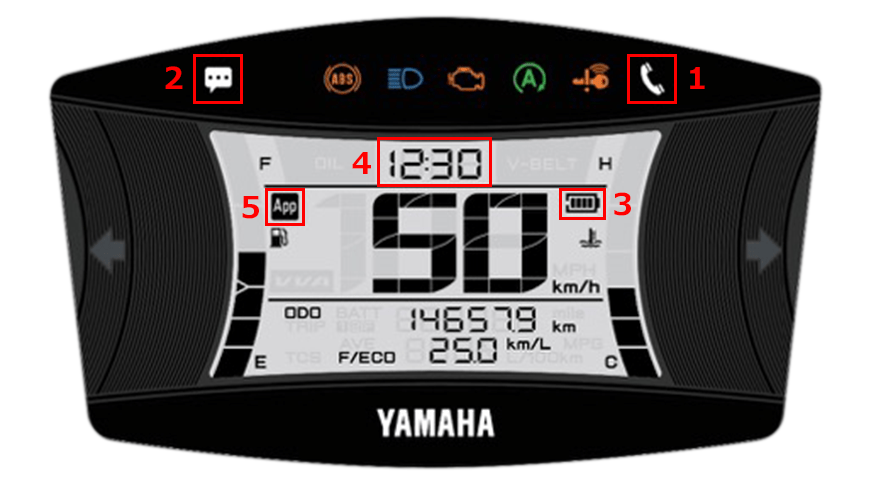
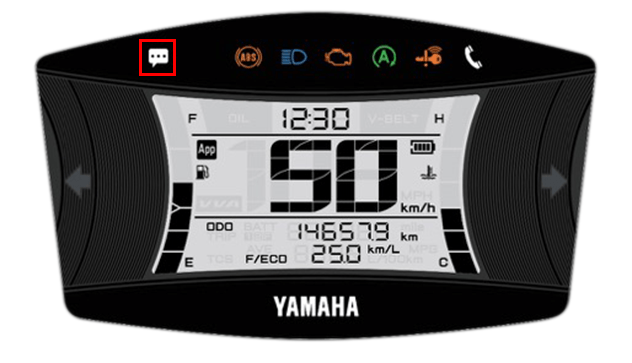
| 1 | Thông báo cuộc gọi đến |
|---|---|
| 2 | E-mail/Messenger notifications |
| 3 | Mức pin còn lại của điện thoại thông minh |
| 4 | Hiển thị thời gian (tự động điều chỉnh) |
| 5 | Hiển thị kết nối |
In-app settings
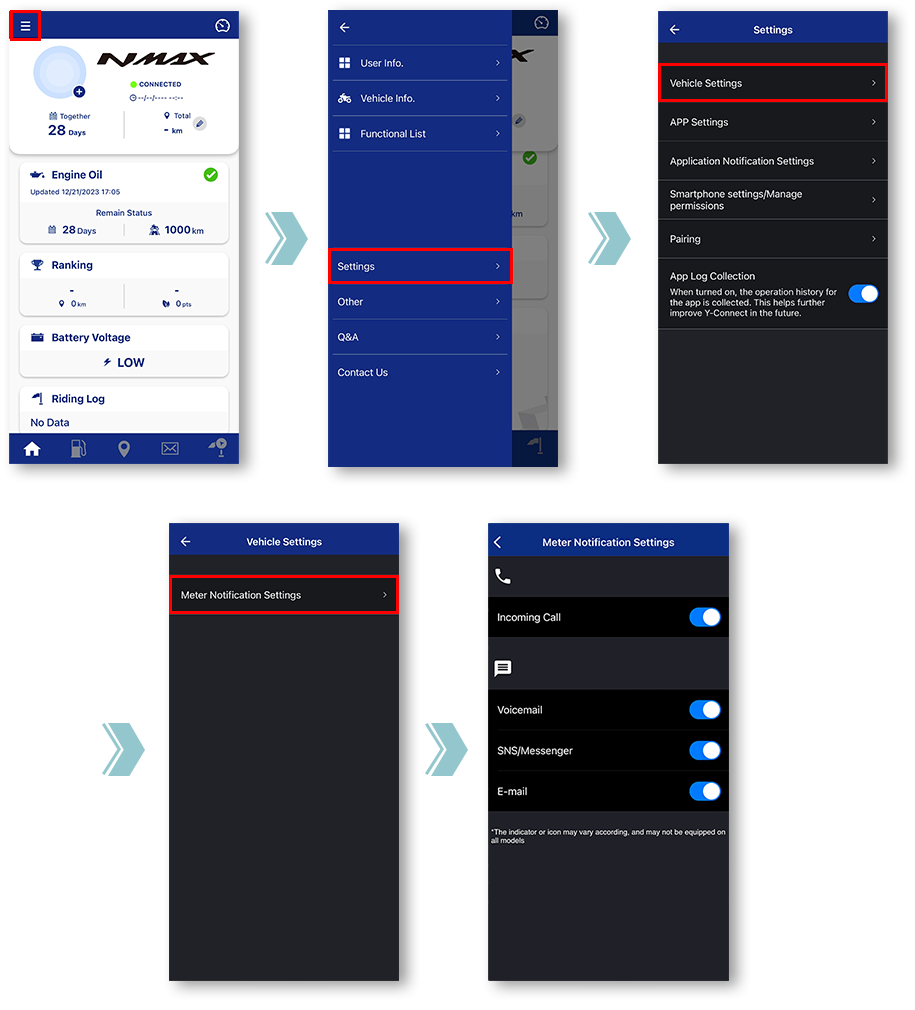
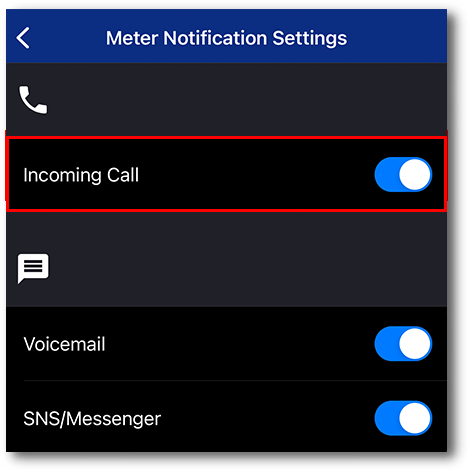
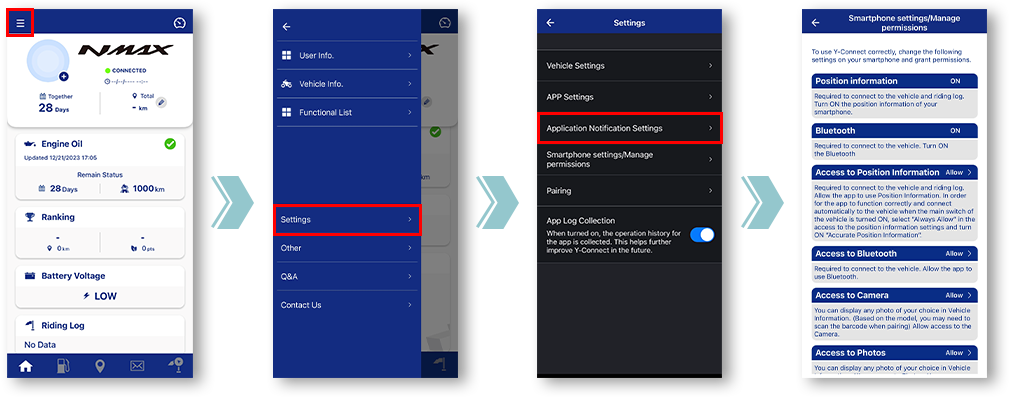
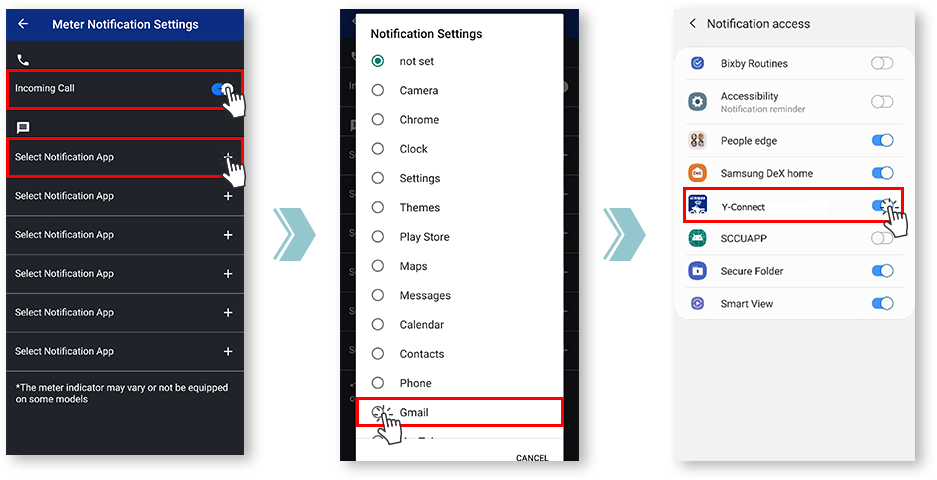
Tap "Vehicle Settings".
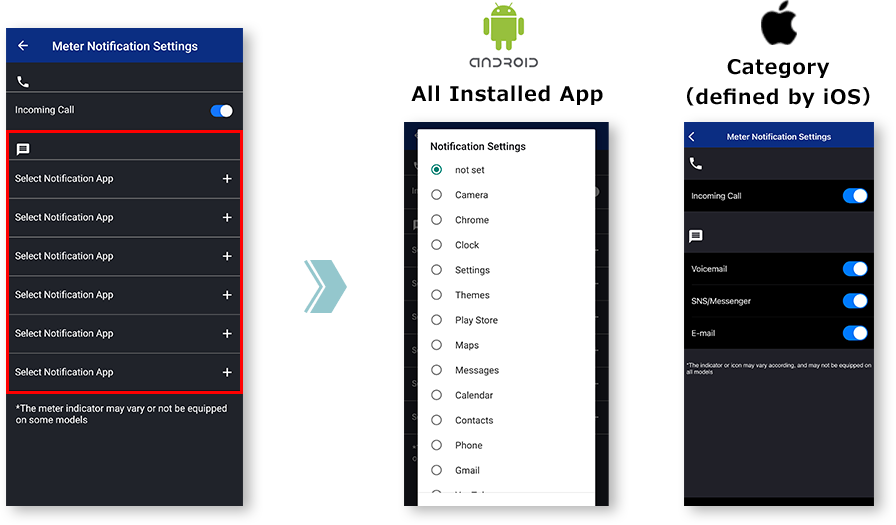
Tap "Meter Notification Settings".
Miscellaneous Settings will be displayed.
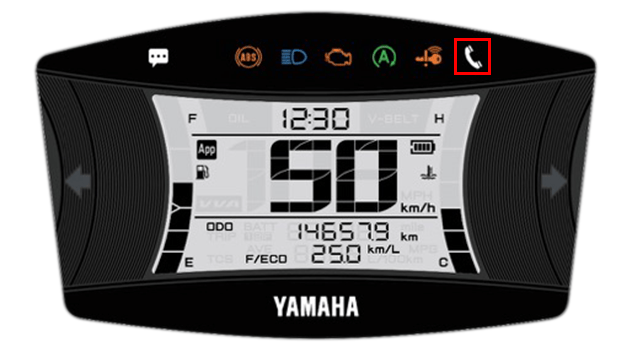
■Incoming call notification
Khi nhấp nháy
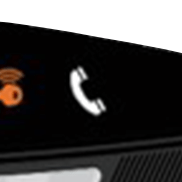
Khi thắp sáng
The light can be turned off by turning off the main switch of the motorcycle.
■E-mail/Messenger
notifications
The light can be turned off by turning off the main switch of the motorcycle.
*Notifications will not be displayed when the app and the motorcycle are not connected.
Ghi chú

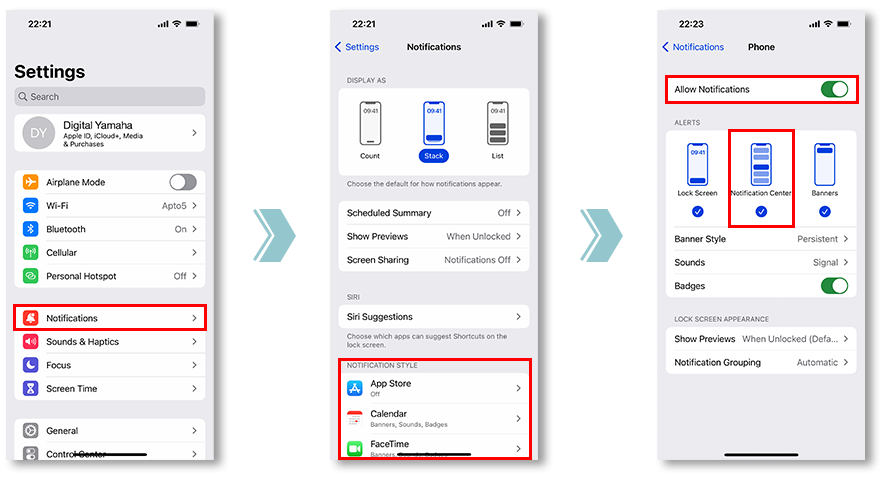
Để thực hiện việc này, vui lòng kiểm tra cài đặt thông báo của ứng dụng bạn muốn đồng bộ hóa.
and allowing notifications from the app is required.
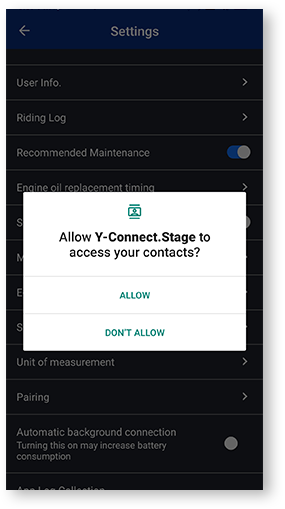
Nếu chạm vào "Từ chối" một lần, lần tiếp theo mở màn hình Cài đặt, hộp thoại đánh dấu "Không hiển thị lại" sẽ hiển thị.
Nếu chọn "Không hiển thị lại", việc hiển thị lại hộp thoại này sẽ khó khăn. Menu này được tùy chỉnh bởi từng công ty cung cấp dịch vụ di động.
Notification settings for various apps
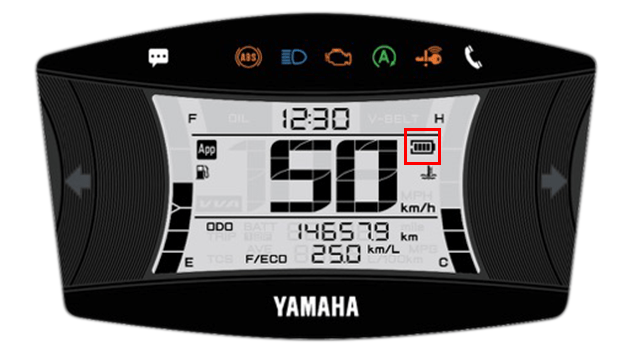
■Remaining battery level
of the smartphone
- Mức pin
-

- Biểu tượng pin
-

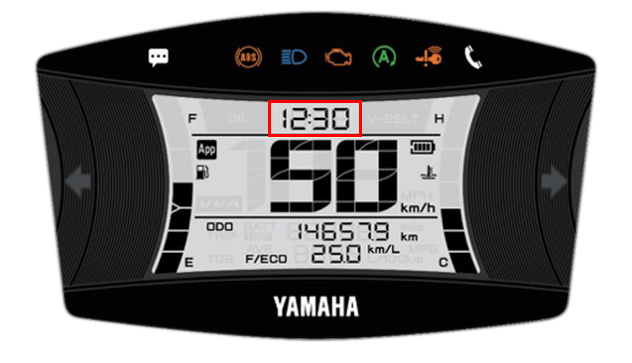
■Time display
(automatic adjustment)
Y-Connect tự động điều chỉnh đồng hồ đo khi được kết nối.
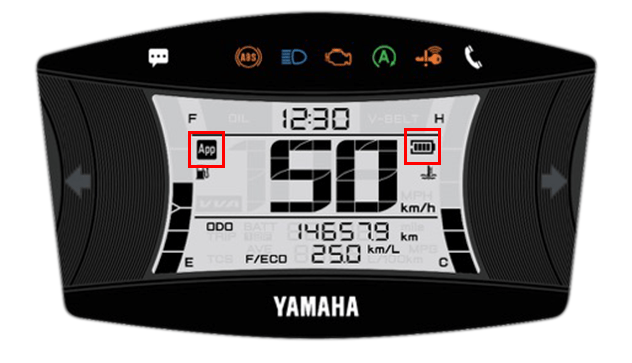
■Connection display
Bạn có thể kiểm tra trạng thái kết nối bằng Y-Connect.
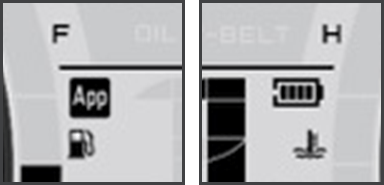
The "App" icon and "Phone Batt Status" icon will be displayed when connected.
* For some models, the "Phone Batt Status" icon may not be displayed.
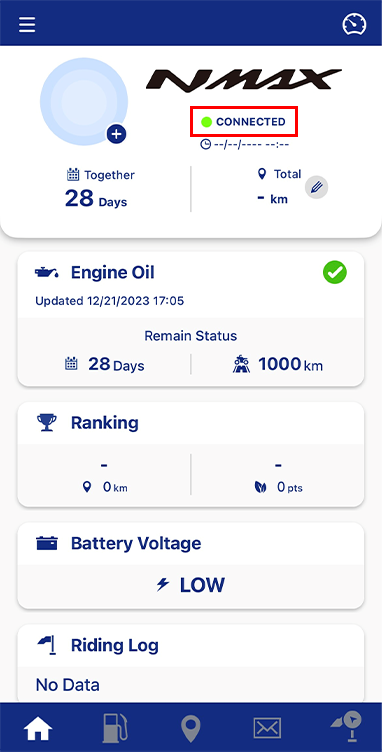
Bạn có thể kiểm tra trạng thái kết nối trong phần văn bản bên dưới tên xe máy.
Chính sách bảo mật và Điều khoản sử dụng