
Meter Indicator (SCCU)
Revs Your Heart – สำรวจโลกของรถจักรยานยนต์ยามาฮ่า
มาตรวัดแบบเข็ม
Displays incoming calls and other notifications
from your smartphone on the meter display
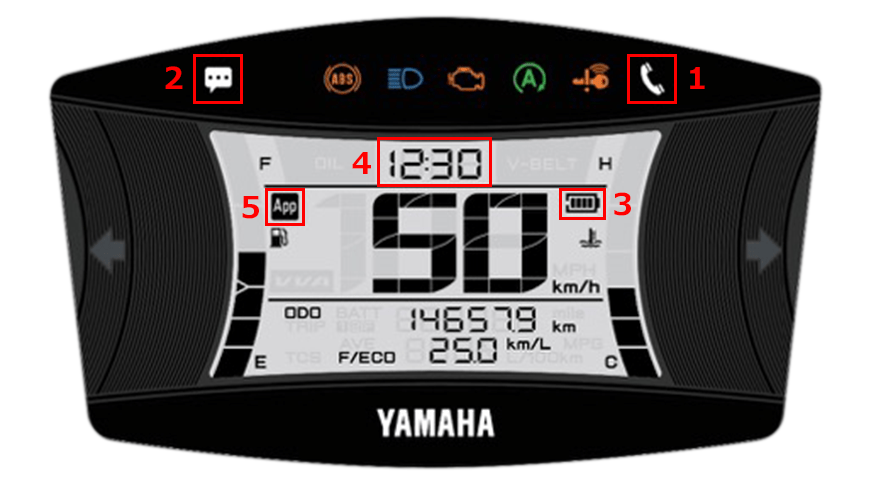
| 1 | แจ้งเตือนสายเรียกเข้า |
|---|---|
| 2 | E-mail/Messenger notifications |
| 3 | ระดับแบตเตอรี่ที่เหลืออยู่ของสมาร์ทโฟน |
| 4 | การแสดงเวลา (ปรับอัตโนมัติ) |
| 5 | จอแสดงผลการเชื่อมต่อ |
In-app settings
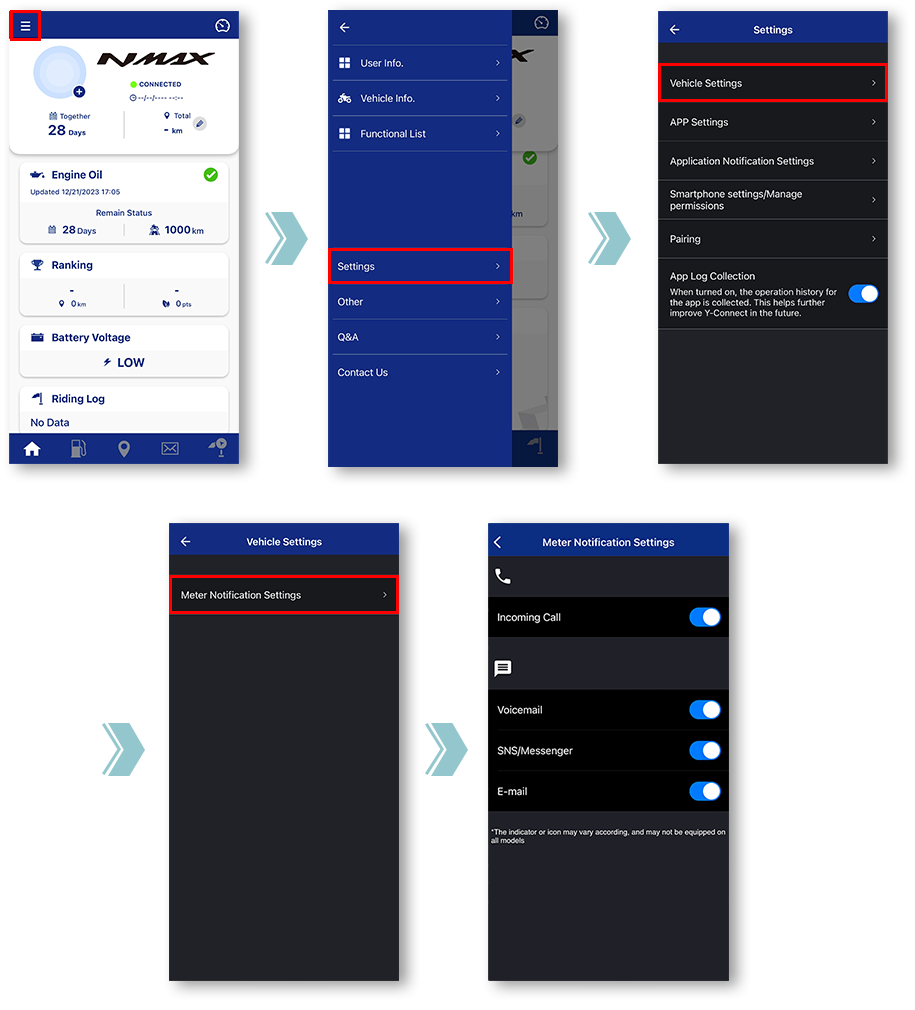
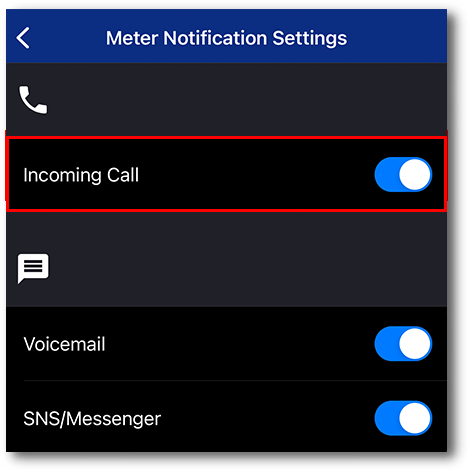
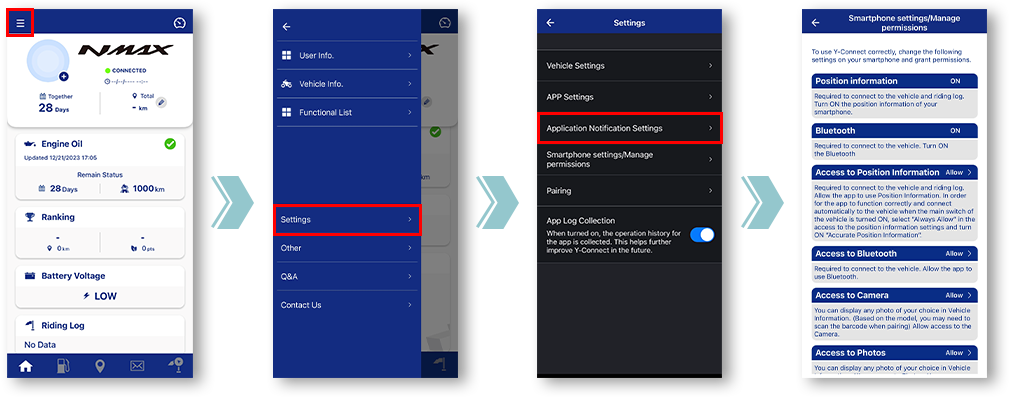
Tap "Vehicle Settings".
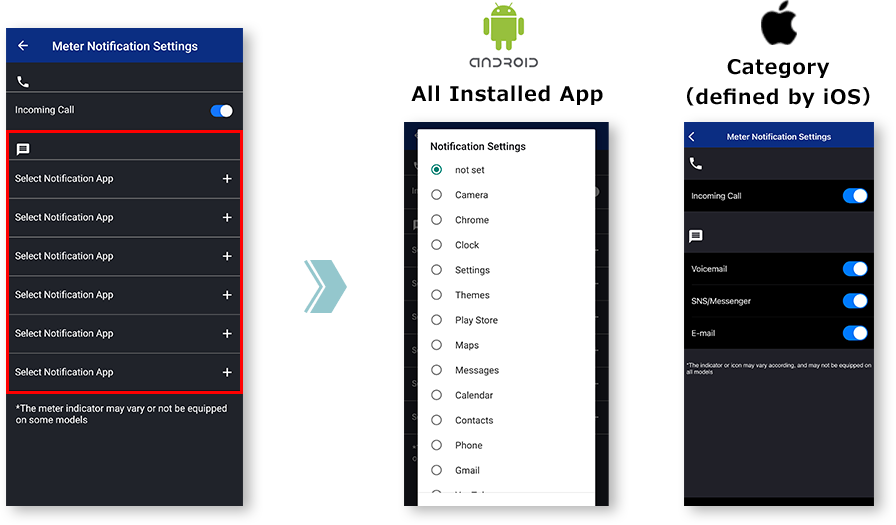
Tap "Meter Notification Settings".
Miscellaneous Settings will be displayed.
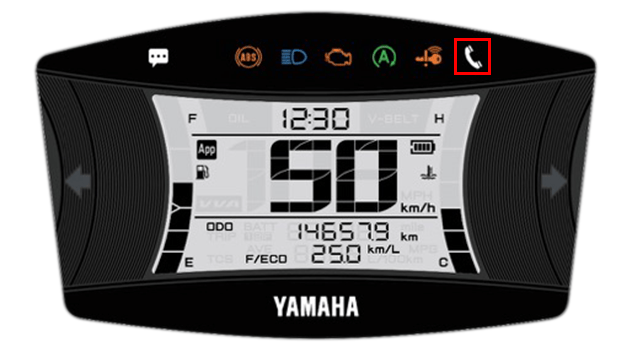
■Incoming call notification
ขณะกระพริบ
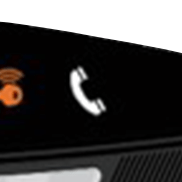
เมื่อจุดไฟ
The light can be turned off by turning off the main switch of the motorcycle.
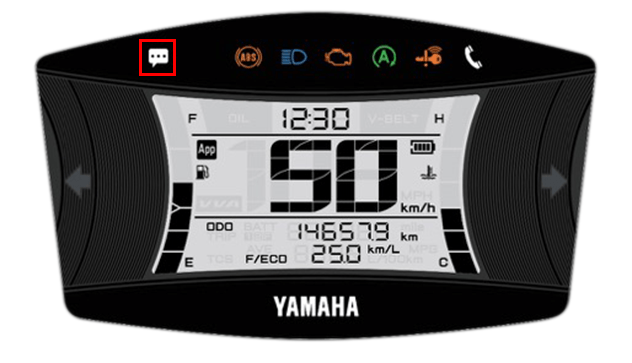
■E-mail/Messenger
notifications
The light can be turned off by turning off the main switch of the motorcycle.
*Notifications will not be displayed when the app and the motorcycle are not connected.
หมายเหตุ

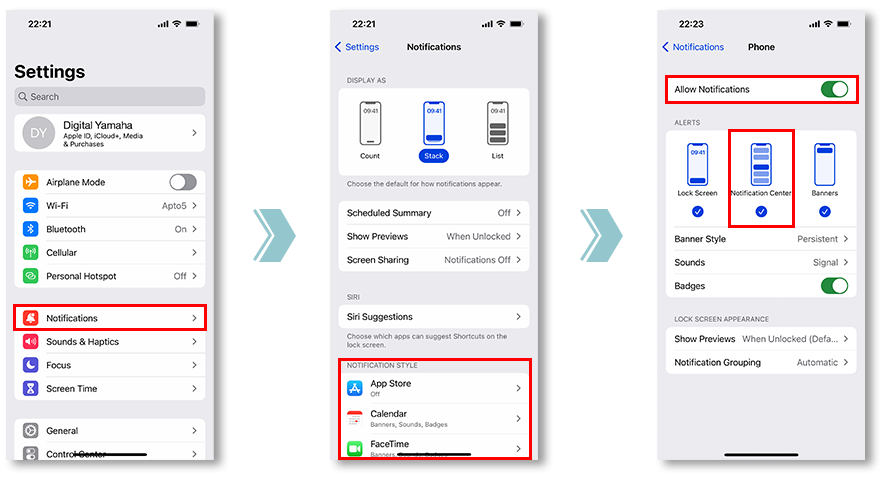
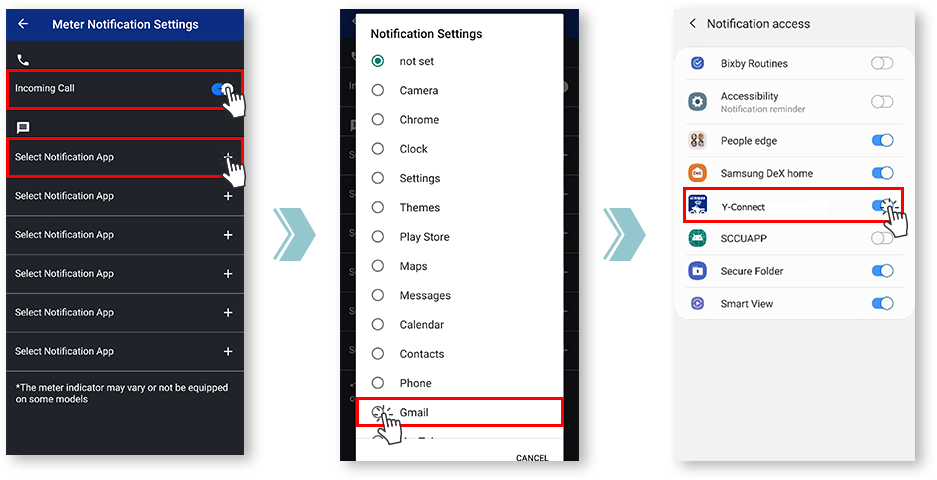
หากต้องการทำเช่นนี้ โปรดตรวจสอบการตั้งค่าการแจ้งเตือนของแอปที่คุณต้องการซิงค์
and allowing notifications from the app is required.
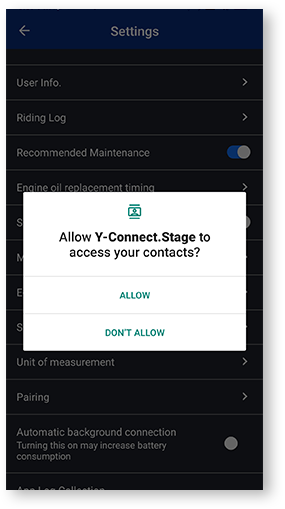
หากแตะ "ปฏิเสธ" หนึ่งครั้ง ในครั้งถัดไปที่เปิดหน้าจอการตั้งค่า กล่องโต้ตอบช่องกาเครื่องหมาย "อย่าแสดงอีก" จะปรากฏขึ้น
หากเลือก "อย่าแสดงอีกครั้ง" จะทำให้การแสดงกล่องโต้ตอบนี้อีกครั้งทำได้ยาก เมนูนี้จะถูกปรับแต่งโดยบริษัทผู้ให้บริการโทรศัพท์เคลื่อนที่แต่ละราย
Notification settings for various apps
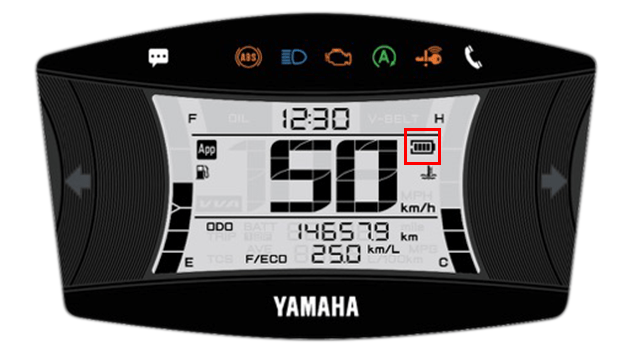
■Remaining battery level
of the smartphone
- ระดับแบตเตอรี่
-

- ไอคอนแบตเตอรี่
-

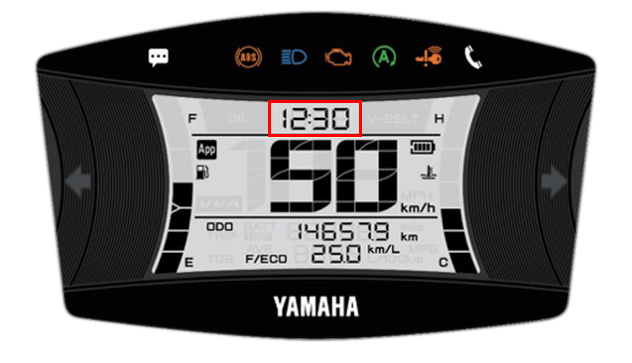
■Time display
(automatic adjustment)
Y-Connect จะปรับนาฬิกามิเตอร์โดยอัตโนมัติเมื่อเชื่อมต่อ
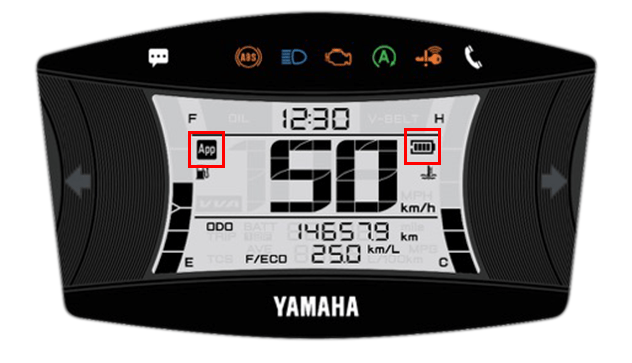
■Connection display
คุณสามารถตรวจสอบสถานะการเชื่อมต่อกับ Y-Connect ได้
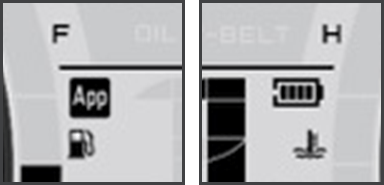
The "App" icon and "Phone Batt Status" icon will be displayed when connected.
* For some models, the "Phone Batt Status" icon may not be displayed.
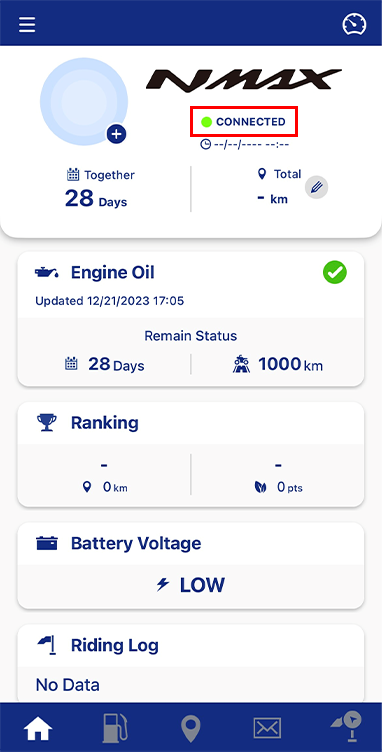
คุณสามารถตรวจดูสถานะการเชื่อมต่อได้จากข้อความใต้ชื่อรถจักรยานยนต์
นโยบายความเป็นส่วนตัว และ เงื่อนไขการใช้งาน