
Meter Indicator (SCCU)
Revs Your Heart – Explore o mundo das motocicletas Yamaha
Meter Indicator
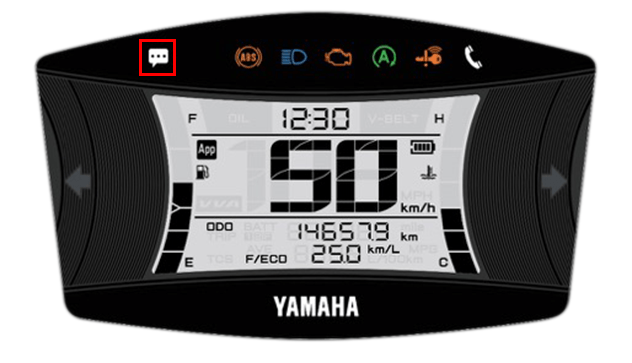
Displays incoming calls and other notifications
from your smartphone on the meter display
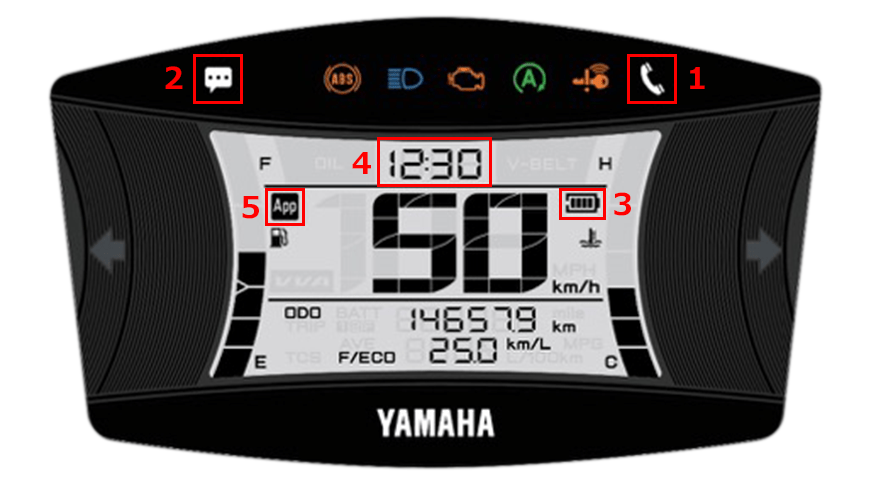
| 1 | Incoming call notification |
|---|---|
| 2 | E-mail/Messenger notifications |
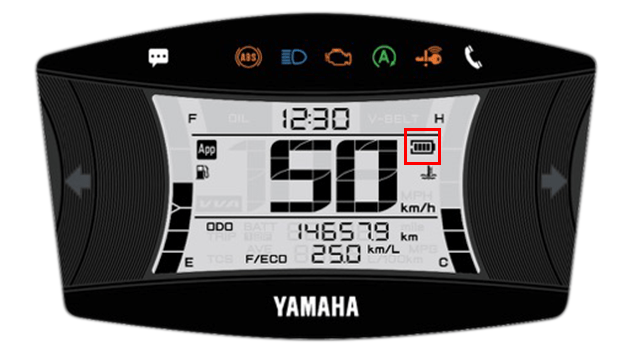
| 3 | Remaining battery level of the smartphone |
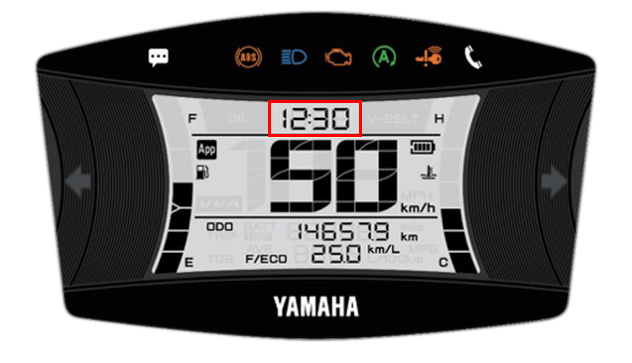
| 4 | Time display (automatic adjustment) |
| 5 | Connection display |
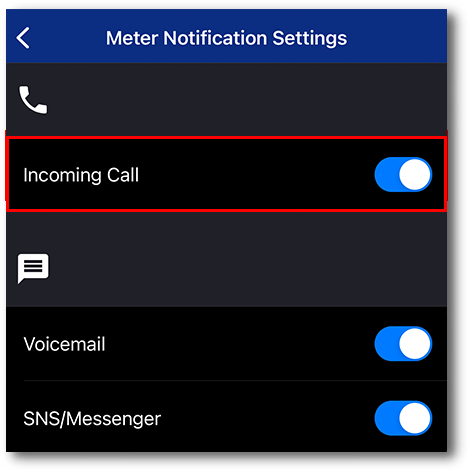
In-app settings
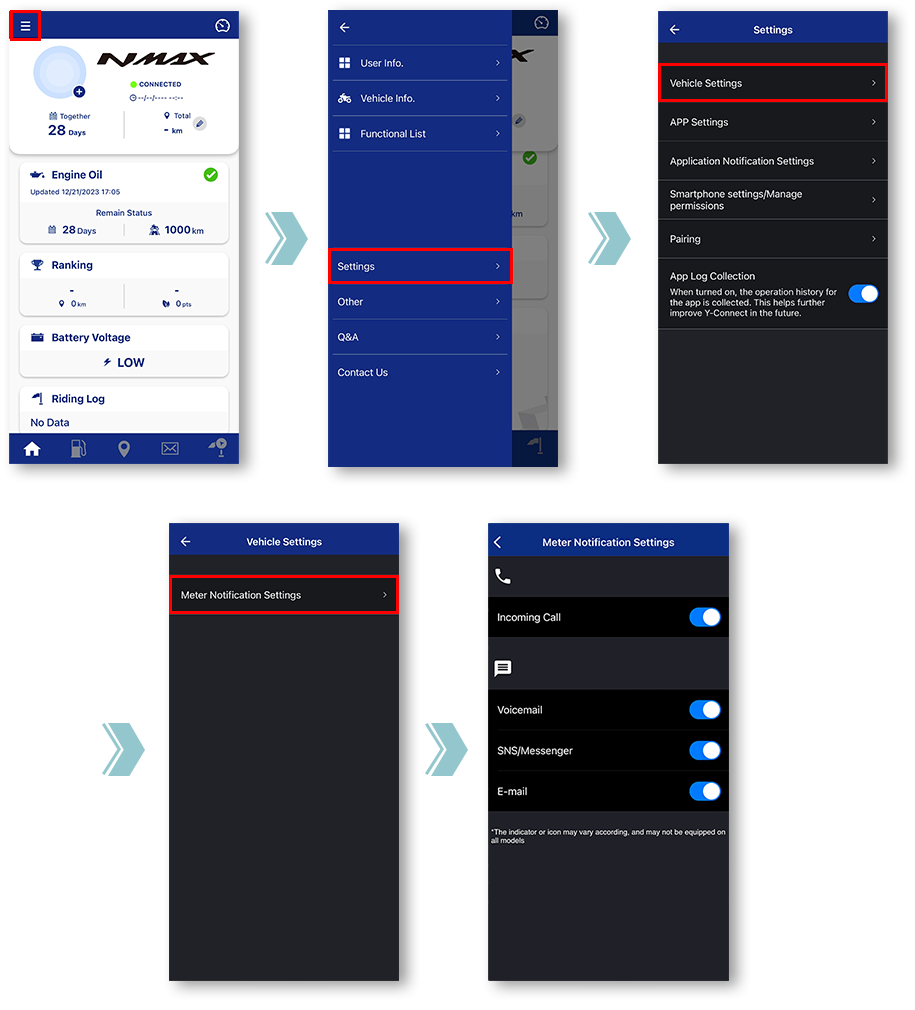
Tap "Vehicle Settings".
Tap "Meter Notification Settings".
Miscellaneous Settings will be displayed.
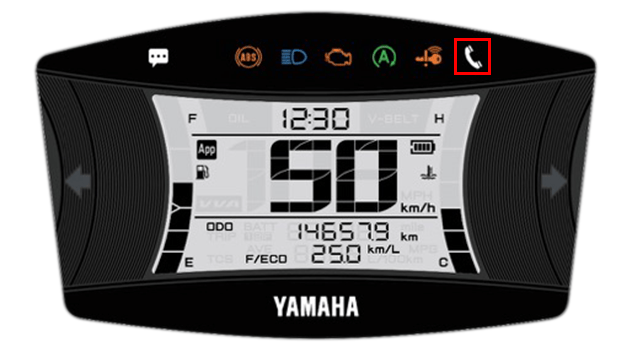
■Incoming call notification
Ao piscar
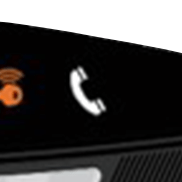
Quando aceso
The light can be turned off by turning off the main switch of the motorcycle.
■E-mail/Messenger
notifications
The light can be turned off by turning off the main switch of the motorcycle.
*Notifications will not be displayed when the app and the motorcycle are not connected.
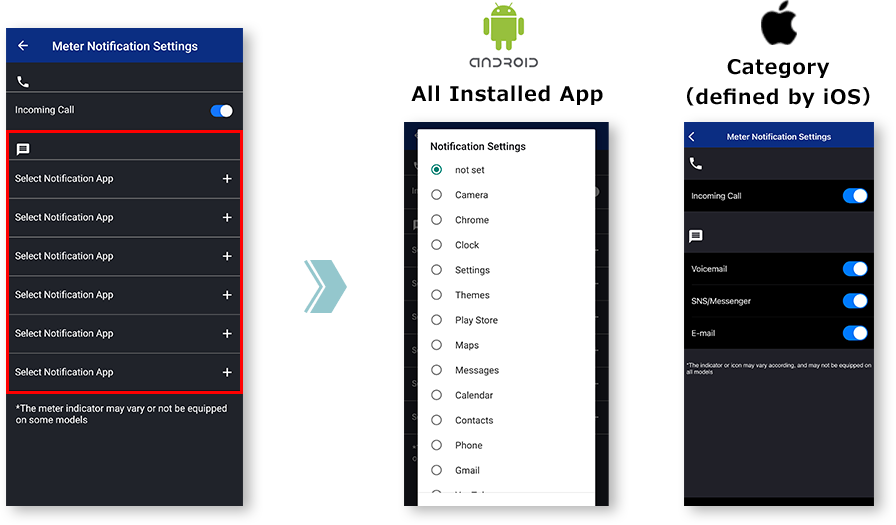
Notas

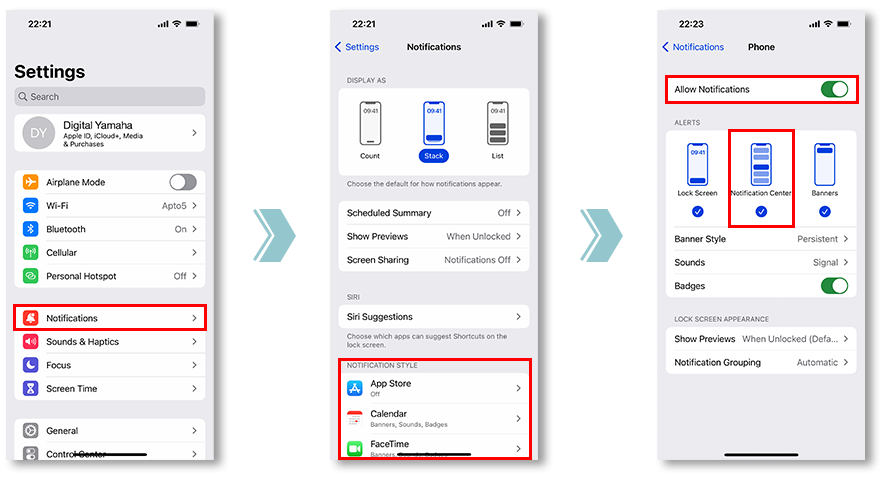
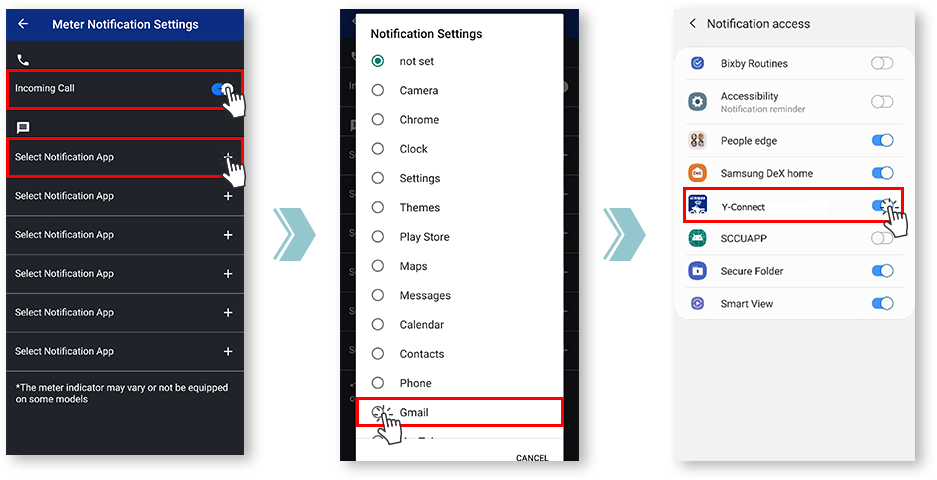
To do so, please check the notification settings of the apps you wish to sync.
and allowing notifications from the app is required.
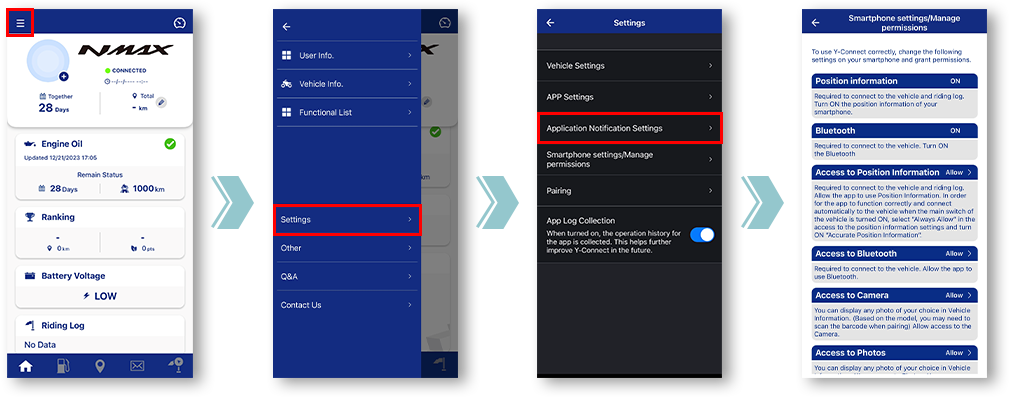
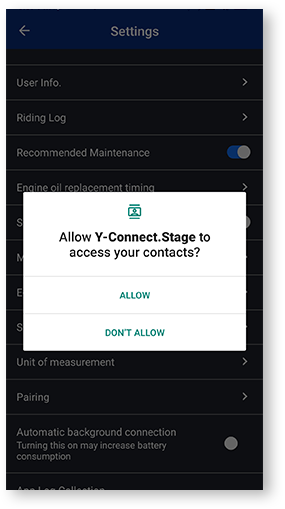
Se "Rejeitar" for tocado uma vez, na próxima vez que a tela Configurações for aberta, a caixa de diálogo "Não mostrar novamente" será exibida.
If "Do not show again" is selected, displaying this dialog again will be difficult. This menu is customized by each mobile carrier company.
Notification settings for various apps
■Remaining battery level
of the smartphone
- Battery level
-

- Battery icon
-

■Time display
(automatic adjustment)
Y-Connect automatically adjusts the meter clock when connected.
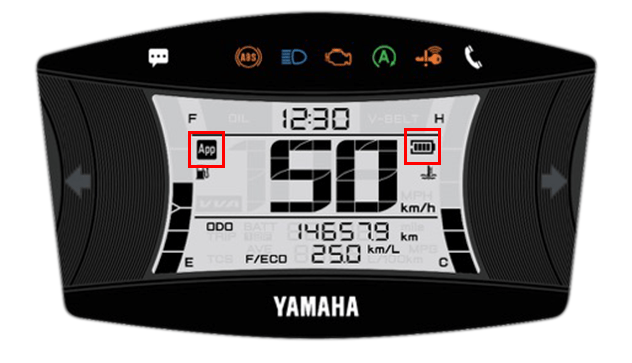
■Connection display
You can check the connection status with Y-Connect.
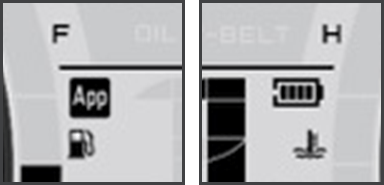
The "App" icon and "Phone Batt Status" icon will be displayed when connected.
* For some models, the "Phone Batt Status" icon may not be displayed.
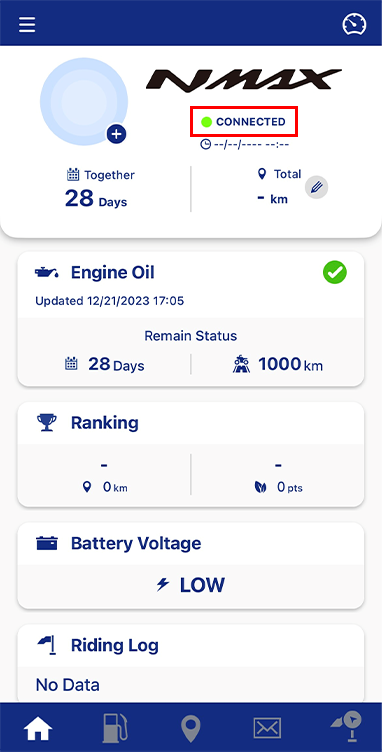
You can check the connection status in the text under the motorcycle name.
Política de privacidade e Termos de uso