
Meter Indicator (SCCU)
Revs Your Heart – 야마하 오토바이의 세계를 탐험하세요
미터 표시기
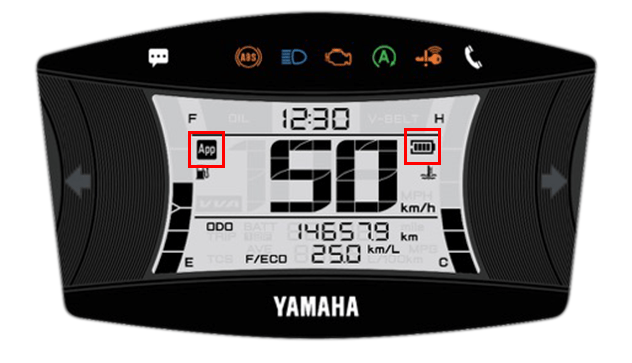
Displays incoming calls and other notifications
from your smartphone on the meter display
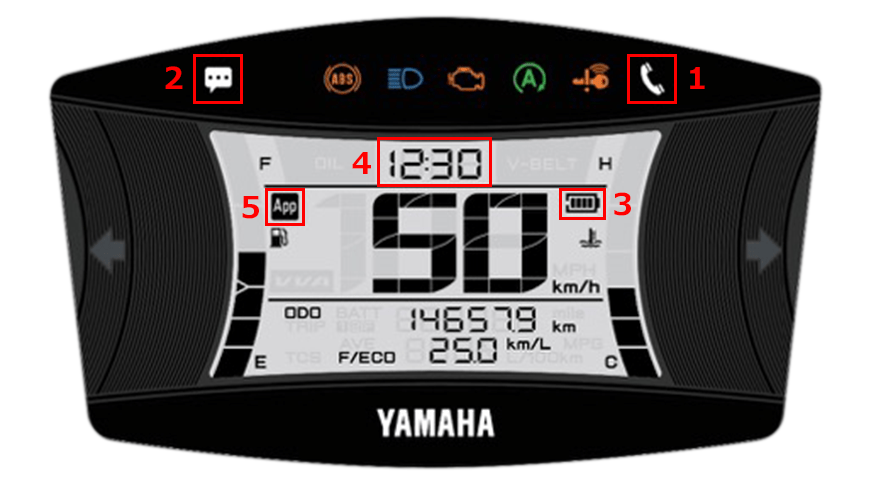
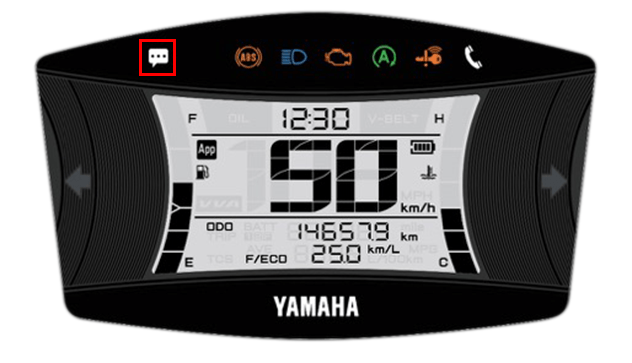
| 1 | 수신 전화 알림 |
|---|---|
| 2 | E-mail/Messenger notifications |
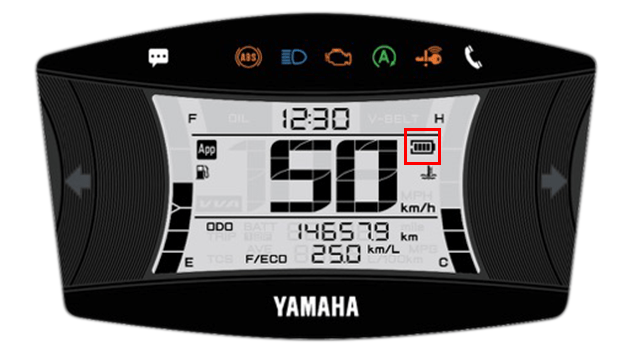
| 3 | 스마트폰 배터리 잔량 |
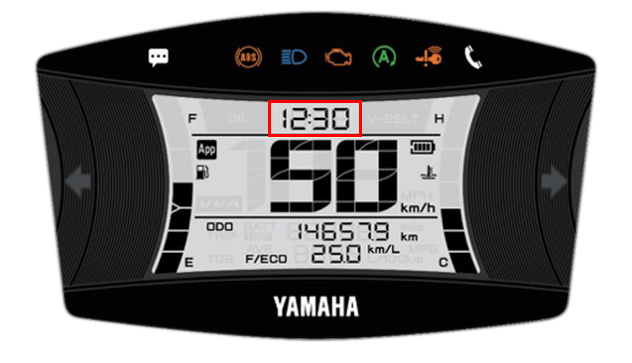
| 4 | 시간 표시(자동 조정) |
| 5 | 연결 디스플레이 |
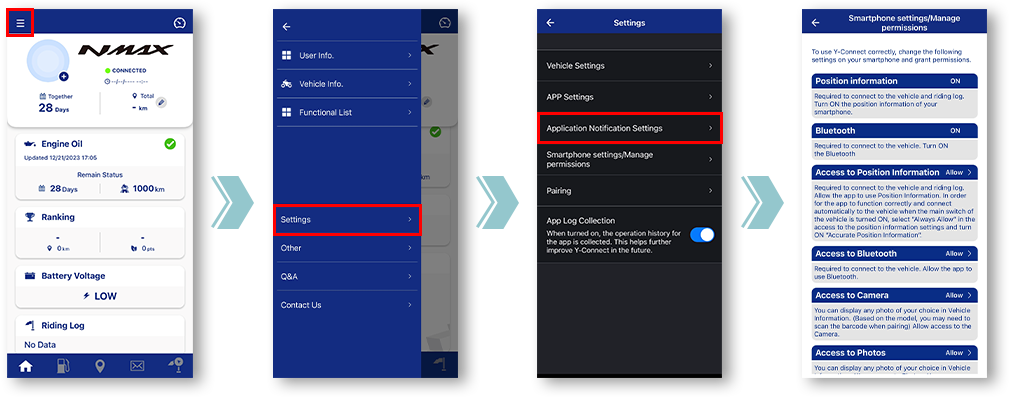
In-app settings
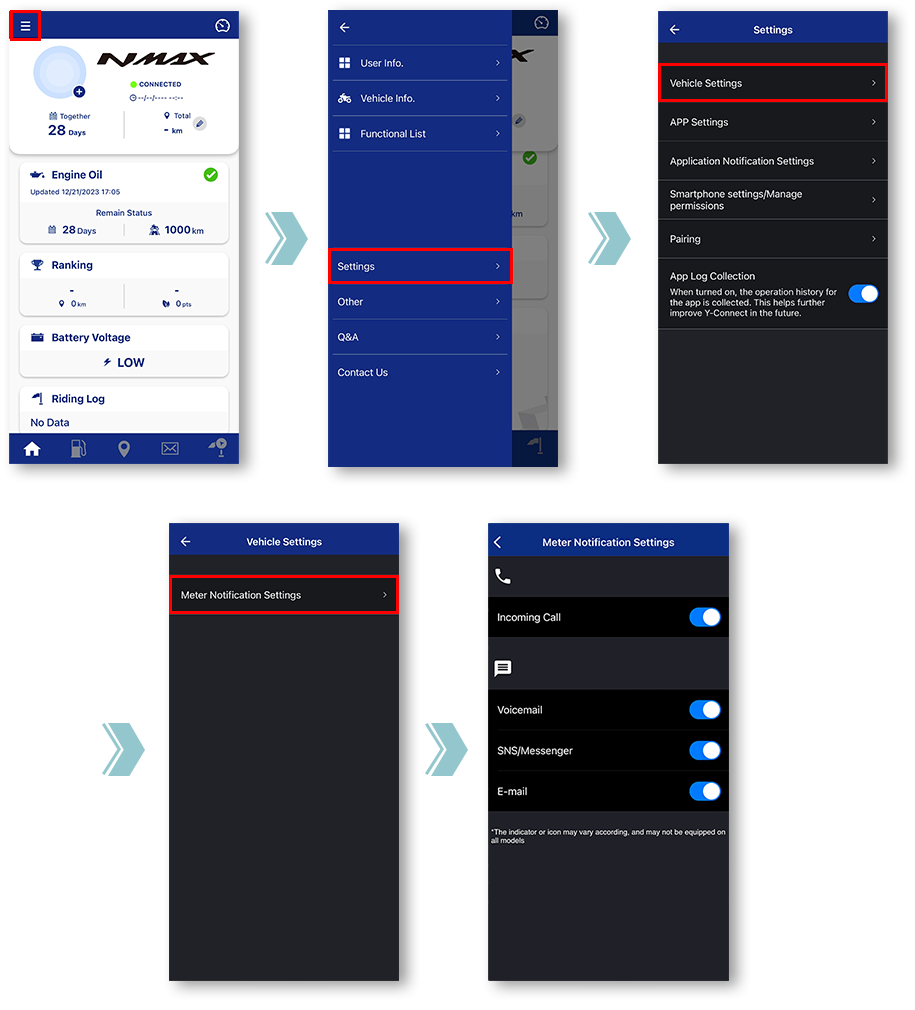
Tap "Vehicle Settings".
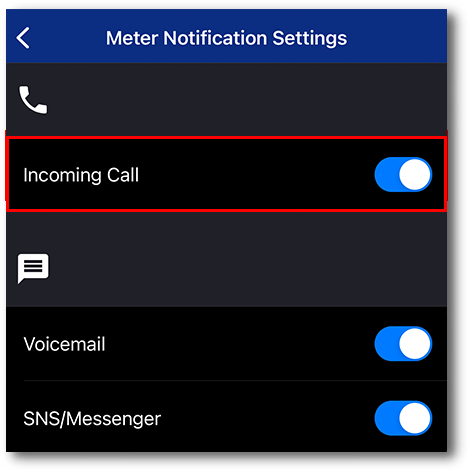
Tap "Meter Notification Settings".
Miscellaneous Settings will be displayed.
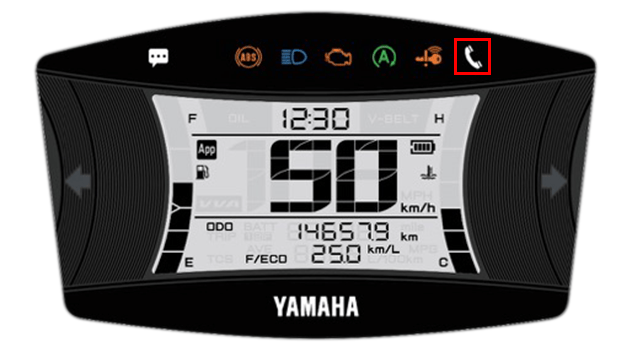
■Incoming call notification
깜박일 때
Incoming call in progress.
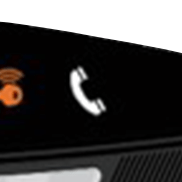
불이 켜지면
You have a missed call.
The light can be turned off by turning off the main switch of the motorcycle.
The light can be turned off by turning off the main switch of the motorcycle.
■E-mail/Messenger
notifications
When receiving a call, it will light up after blinking for 10 seconds
The light can be turned off by turning off the main switch of the motorcycle.
*Notifications will not be displayed when the app and the motorcycle are not connected.
The light can be turned off by turning off the main switch of the motorcycle.
*Notifications will not be displayed when the app and the motorcycle are not connected.
노트

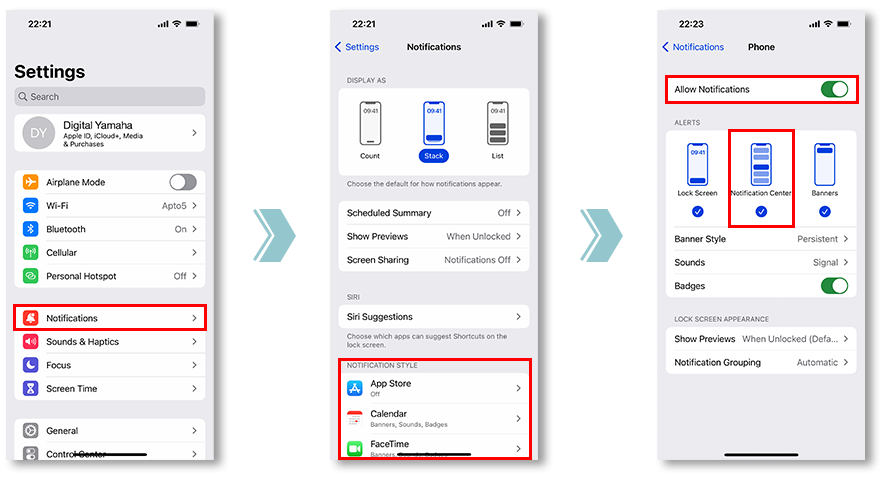
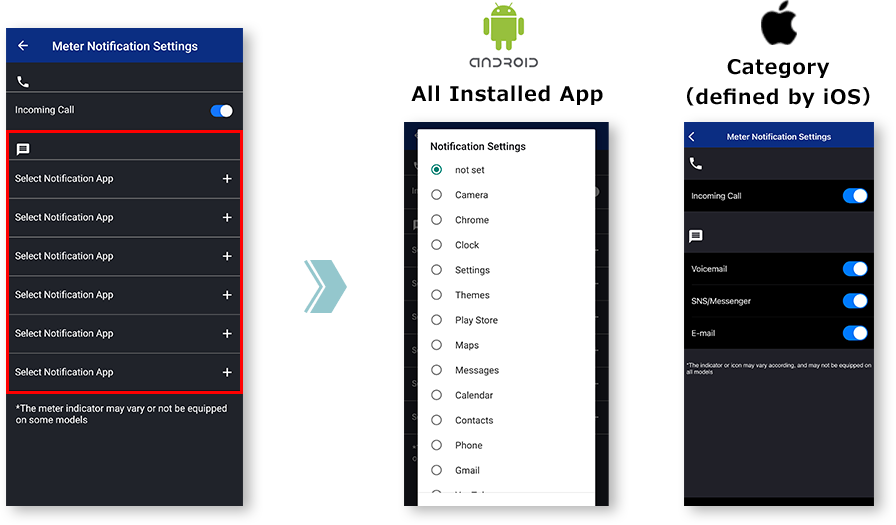
그러려면 동기화하려는 앱의 알림 설정을 확인하세요.
and allowing notifications from the app is required.
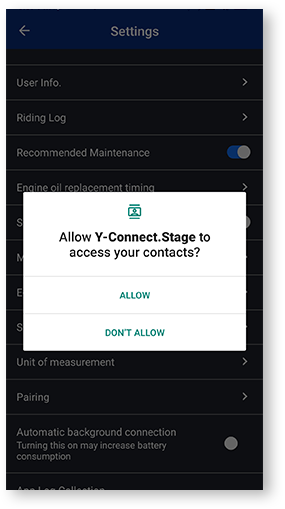
"거부"를 한 번 탭하면 다음에 설정 화면을 열 때 "다시 표시 안 함" 체크박스 대화 상자가 표시됩니다.
"다시 표시 안 함"을 선택하면 이 대화 상자를 다시 표시하는 것이 어려울 것입니다. 이 메뉴는 각 이동통신사에서 사용자 정의합니다.
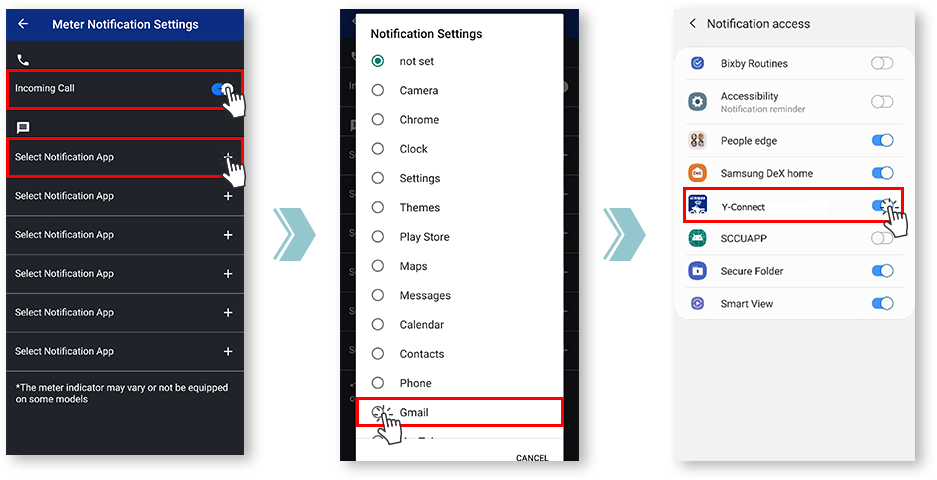
Notification settings for various apps
■Remaining battery level
of the smartphone
- 배터리 수준
-

- 배터리 아이콘
-

■Time display
(automatic adjustment)
Y-Connect는 연결 시 미터 시계를 자동으로 조정합니다.
■Connection display
Y-Connect로 연결 상태를 확인할 수 있습니다.
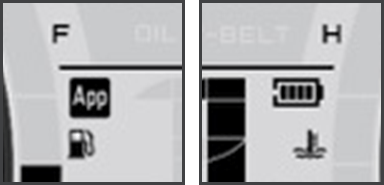
The "App" icon and "Phone Batt Status" icon will be displayed when connected.
* For some models, the "Phone Batt Status" icon may not be displayed.
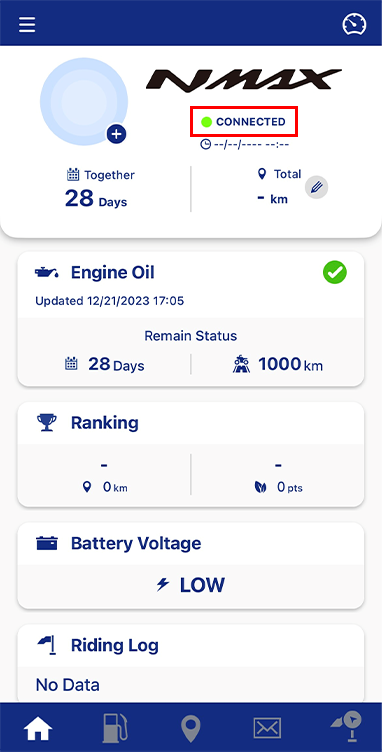
연결 상태는 오토바이 이름 아래에 있는 텍스트에서 확인할 수 있습니다.
개인정보 보호정책 및 이용약관
| 영어 | 공지사항 수정 | 개인정보 보호정책 | 이용약관 | 위치 기반 서비스 이용 약관 |
|---|---|---|---|---|
| Korean(한국어) | 괜히공지 | 개인정보 처리방침 | 이용약관 | 위치기반서비스 이용약관 |