
Meter Indicator (SCCU)
Revs Your Heart – Jelajahi dunia sepeda motor Yamaha
Indikator Meteran
Displays incoming calls and other notifications
from your smartphone on the meter display
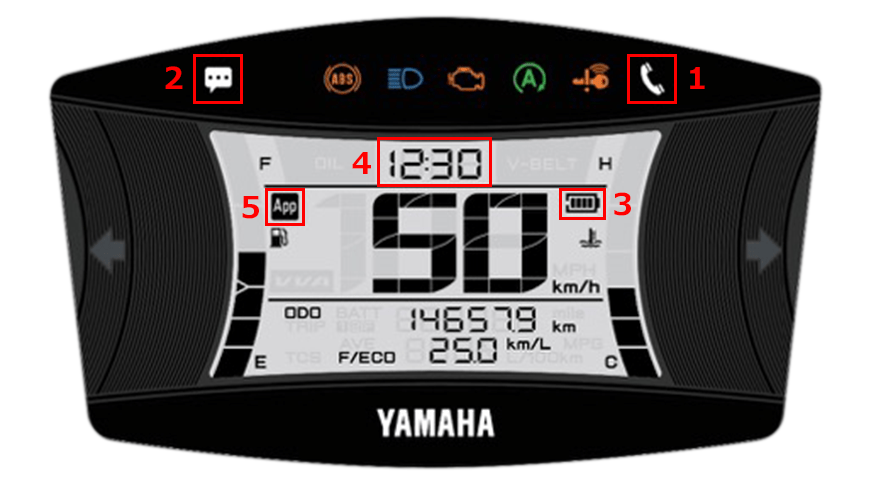
| 1 | Pemberitahuan panggilan masuk |
|---|---|
| 2 | E-mail/Messenger notifications |
| 3 | Sisa level baterai ponsel pintar |
| 4 | Tampilan waktu (penyesuaian otomatis) |
| 5 | Tampilan koneksi |
In-app settings
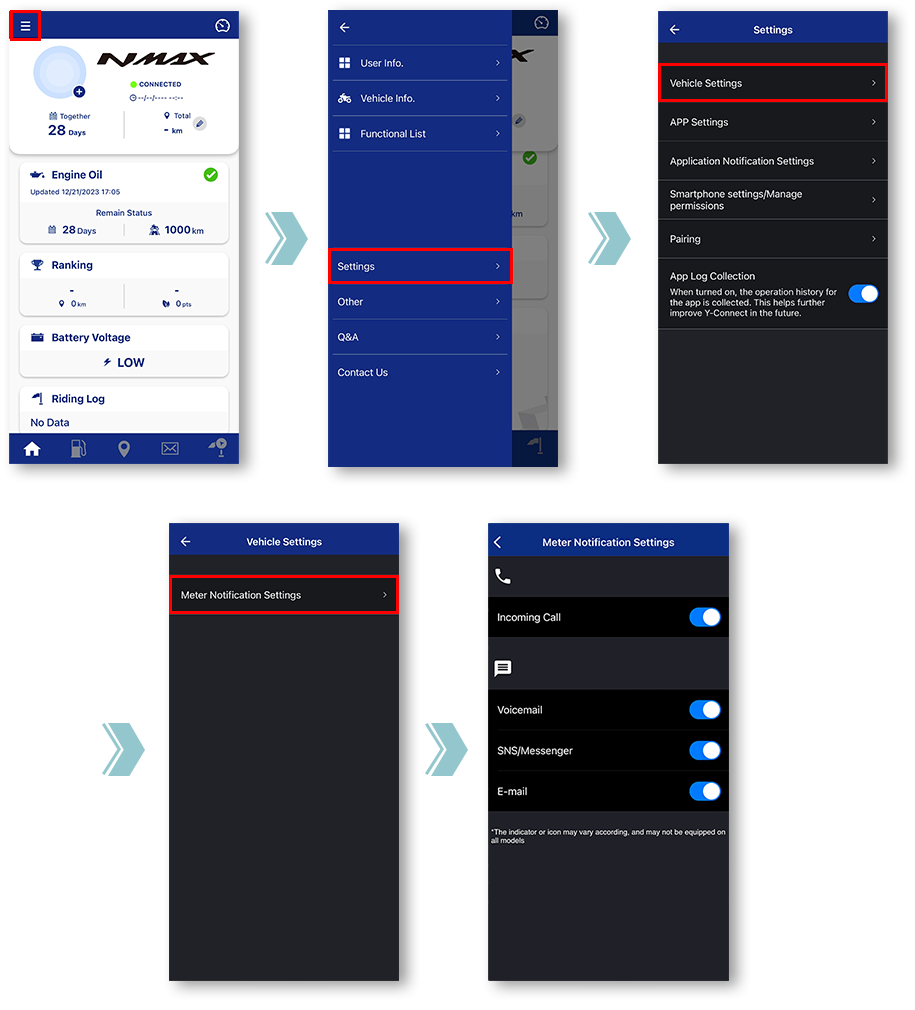
Tap "Vehicle Settings".
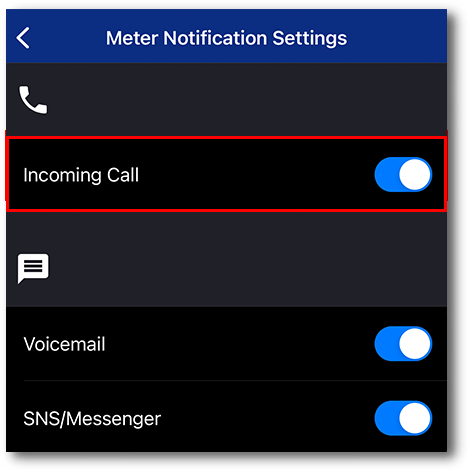
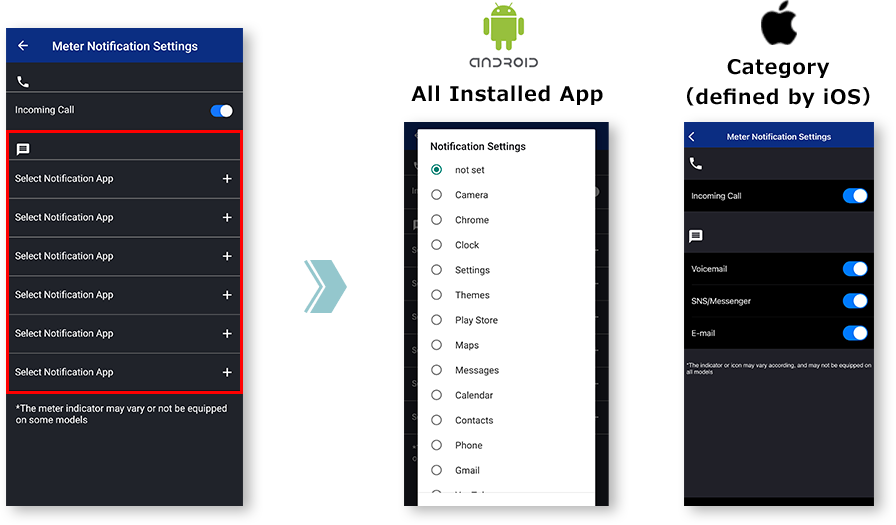
Tap "Meter Notification Settings".
Miscellaneous Settings will be displayed.
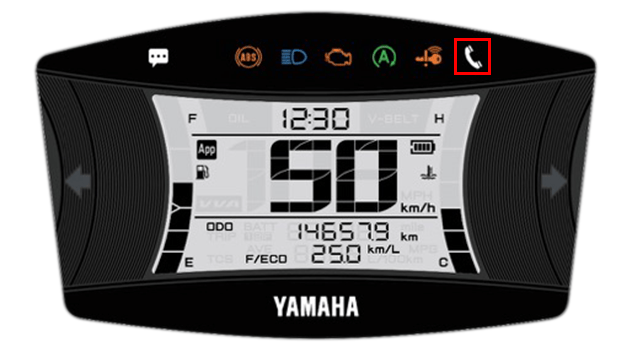
■Incoming call notification
Saat berkedip
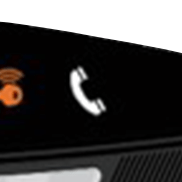
Saat menyala
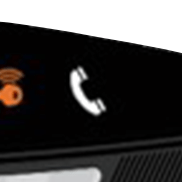
The light can be turned off by turning off the main switch of the motorcycle.
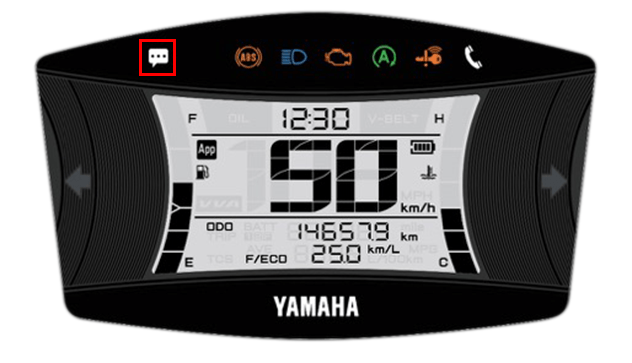
■E-mail/Messenger
notifications
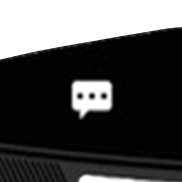
The light can be turned off by turning off the main switch of the motorcycle.
*Notifications will not be displayed when the app and the motorcycle are not connected.
Catatan

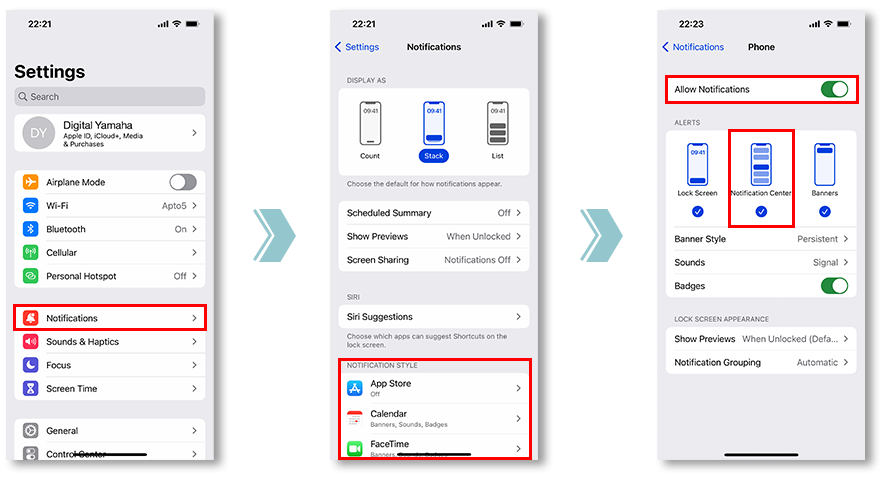
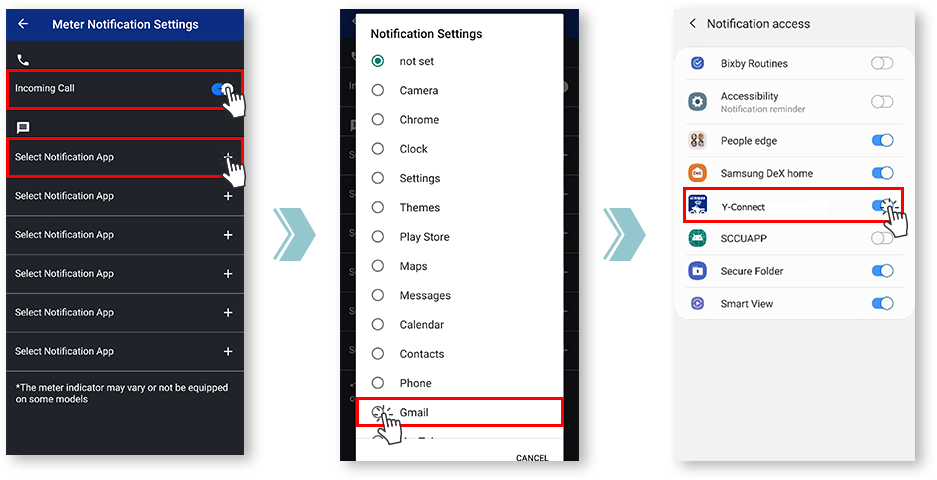
Untuk melakukannya, silakan periksa pengaturan notifikasi aplikasi yang ingin Anda sinkronkan.
and allowing notifications from the app is required.
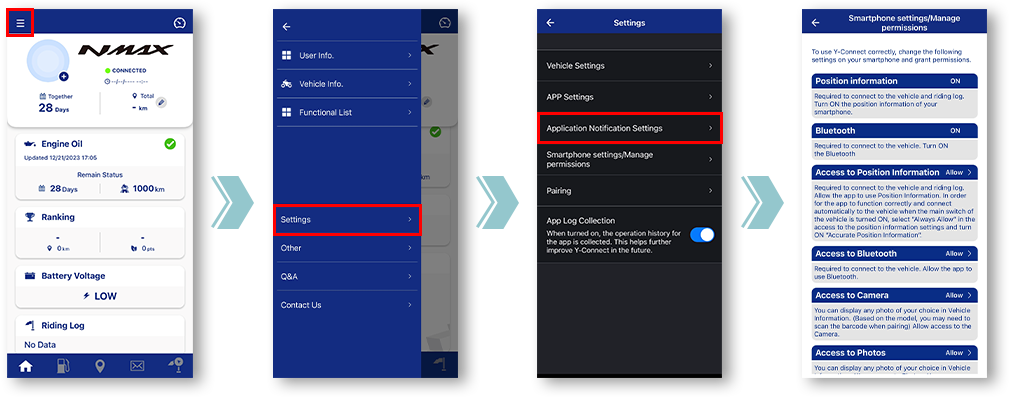
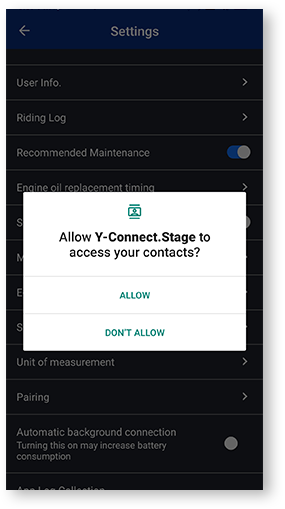
Jika "Tolak" diketuk satu kali, saat berikutnya layar Pengaturan dibuka, dialog kotak centang "Jangan tampilkan lagi" akan ditampilkan.
Jika "Jangan tampilkan lagi" dipilih, akan sulit untuk menampilkan dialog ini lagi. Menu ini disesuaikan oleh masing-masing perusahaan operator seluler.
Notification settings for various apps
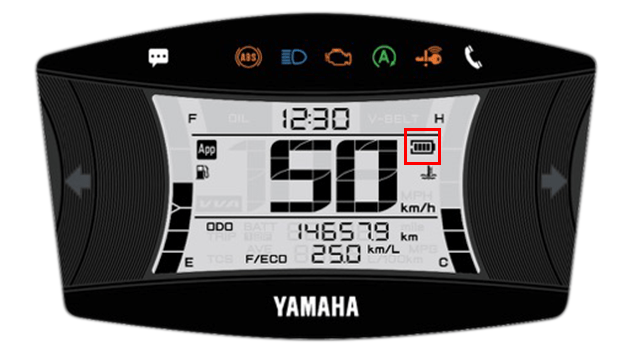
■Remaining battery level
of the smartphone
- Tingkat baterai
-

- Ikon baterai
-

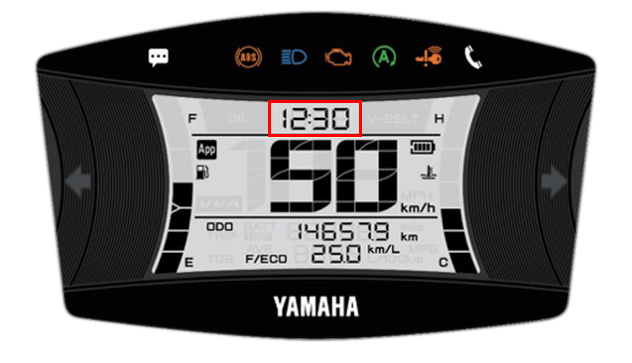
■Time display
(automatic adjustment)
Y-Connect secara otomatis menyesuaikan jam meter saat terhubung.
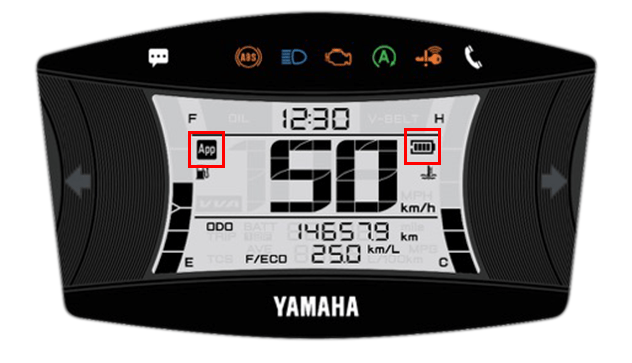
■Connection display
Anda dapat memeriksa status koneksi dengan Y-Connect.
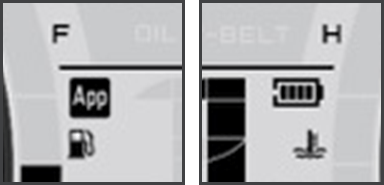
The "App" icon and "Phone Batt Status" icon will be displayed when connected.
* For some models, the "Phone Batt Status" icon may not be displayed.
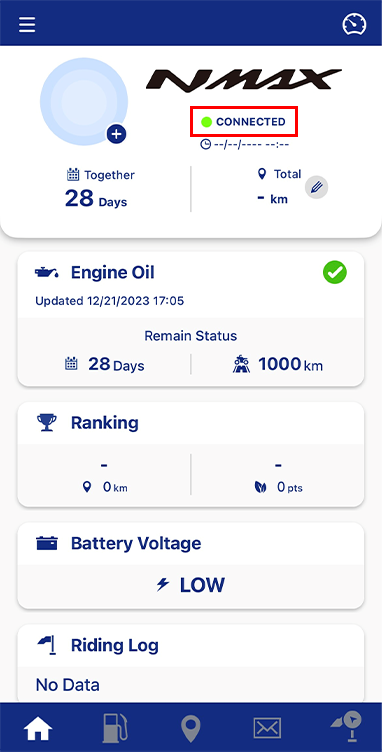
Anda dapat memeriksa status koneksi dalam teks di bawah nama sepeda motor.
Kebijakan Privasi dan Ketentuan Penggunaan
| Bahasa inggris | Pemberitahuan revisi | Kebijakan pribadi | Ketentuan Penggunaan | Syarat dan Ketentuan Layanan Berbasis Lokasi |
|---|---|---|---|---|
| Korean(한국어) | 찜정공지 | 개인정보 처리방침 | 이용약관 | Manajemen Keuangan |