
Meter Indicator (SCCU)
激发你的心跳——探索雅马哈摩托车的世界
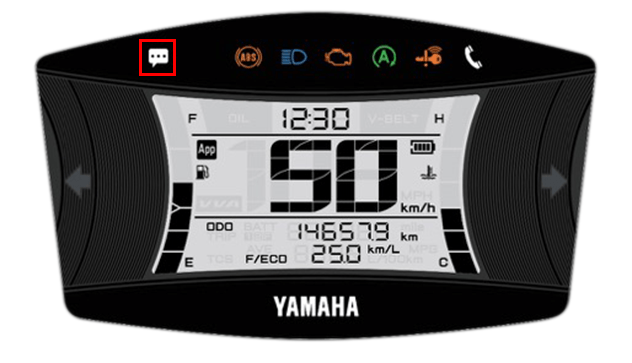
仪表指示器
Displays incoming calls and other notifications
from your smartphone on the meter display
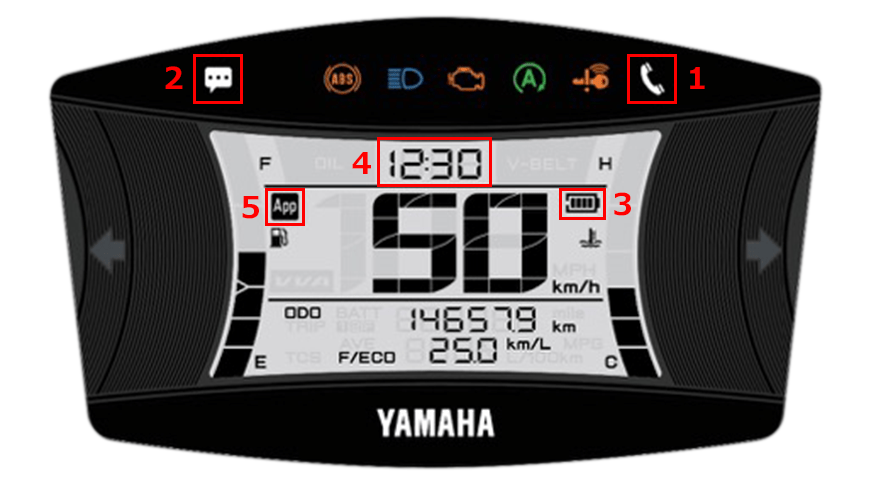
| 1 | 来电通知 |
|---|---|
| 2 | E-mail/Messenger notifications |
| 3 | 智能手机的剩余电池电量 |
| 4 | 时间显示(自动调整) |
| 5 | 连接显示 |
In-app settings
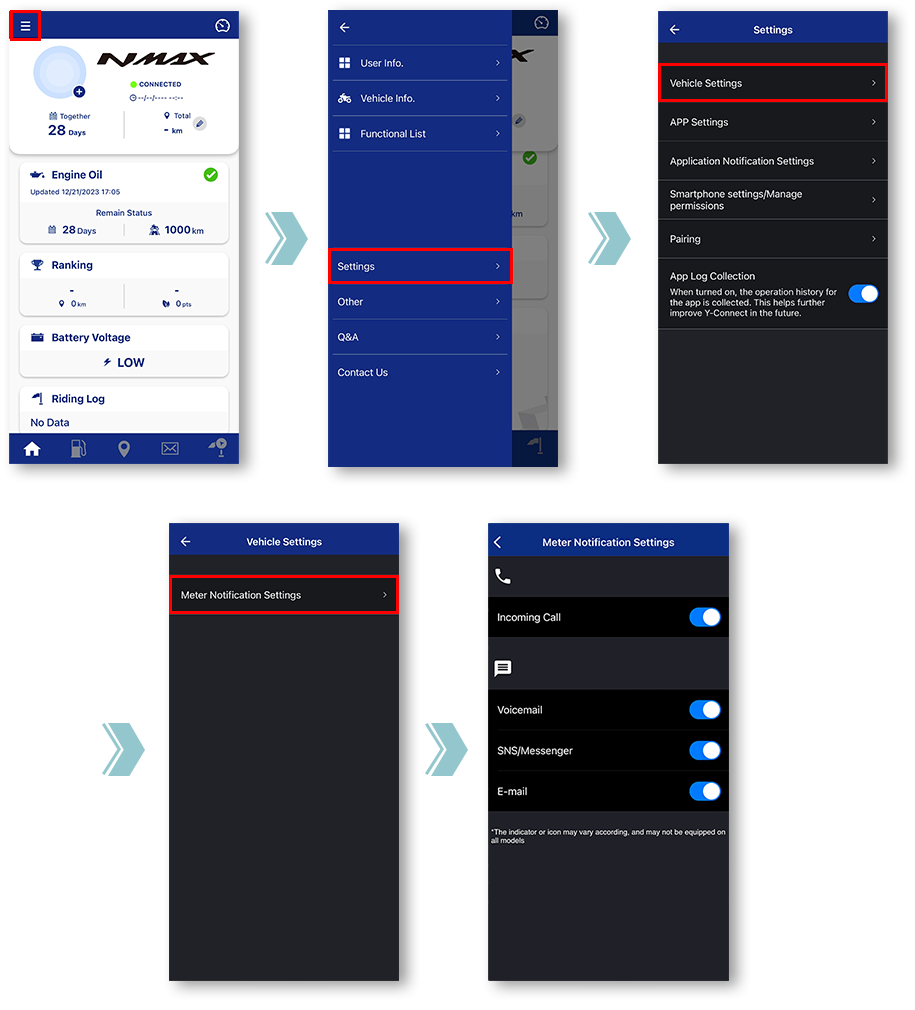
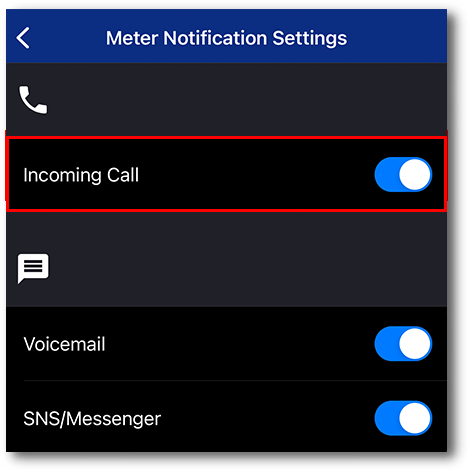
Tap "Vehicle Settings".
Tap "Meter Notification Settings".
Miscellaneous Settings will be displayed.
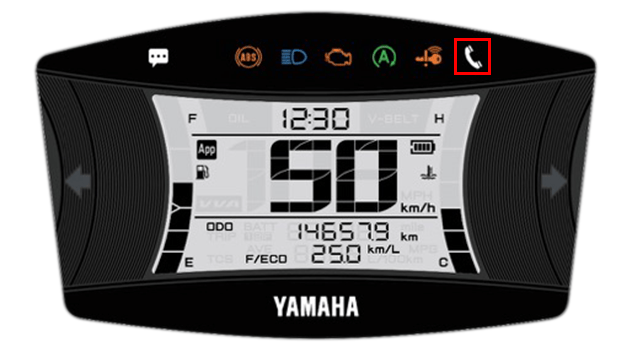
■Incoming call notification
闪烁时
Incoming call in progress.
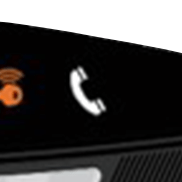
点亮时
You have a missed call.
The light can be turned off by turning off the main switch of the motorcycle.
The light can be turned off by turning off the main switch of the motorcycle.
■E-mail/Messenger
notifications
When receiving a call, it will light up after blinking for 10 seconds
The light can be turned off by turning off the main switch of the motorcycle.
*Notifications will not be displayed when the app and the motorcycle are not connected.
The light can be turned off by turning off the main switch of the motorcycle.
*Notifications will not be displayed when the app and the motorcycle are not connected.
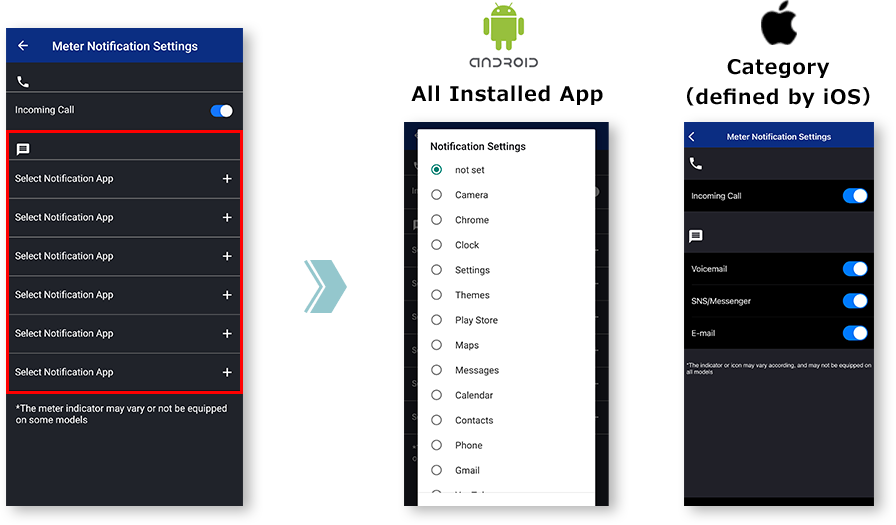
笔记

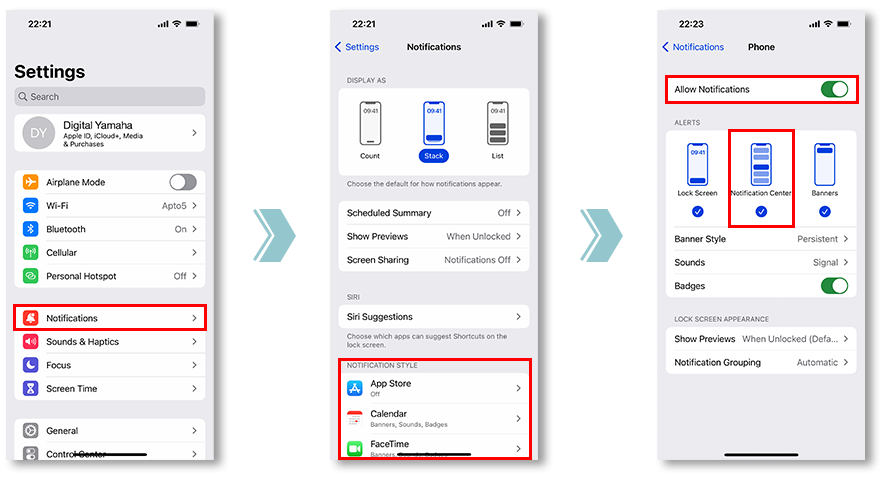
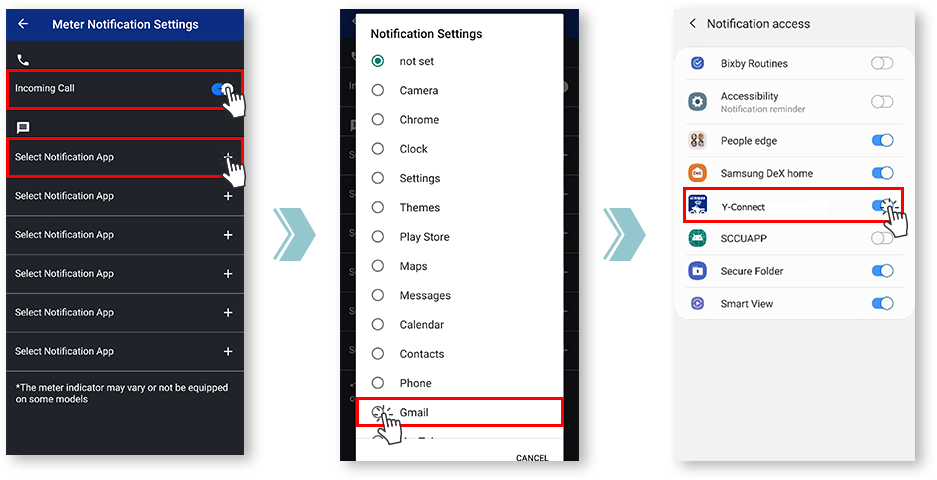
为此,请检查您想要同步的应用程序的通知设置。
and allowing notifications from the app is required.
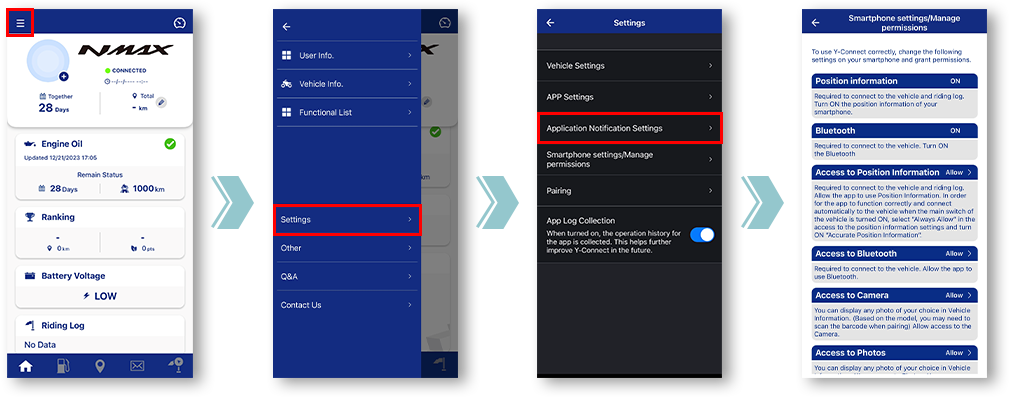
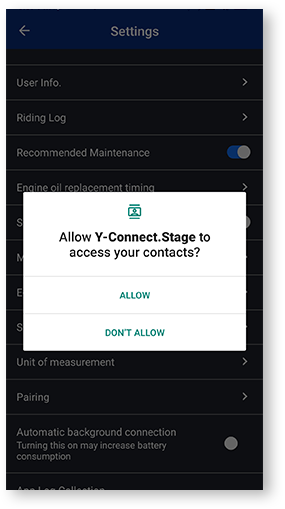
如果点击一次“拒绝”,下次打开设置屏幕时,将显示“不再显示”复选框对话框。
如果选择“不再显示”,则再次显示此对话框将很困难。此菜单由各移动运营商公司定制。
Notification settings for various apps
■Remaining battery level
of the smartphone
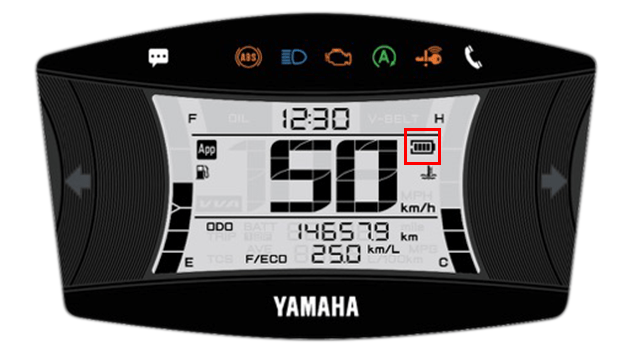
- 电池电量
-

- 电池图标
-

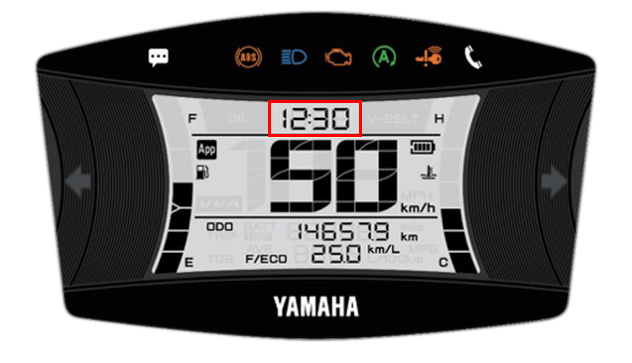
■Time display
(automatic adjustment)
Y-Connect 连接后会自动调整电表时钟。
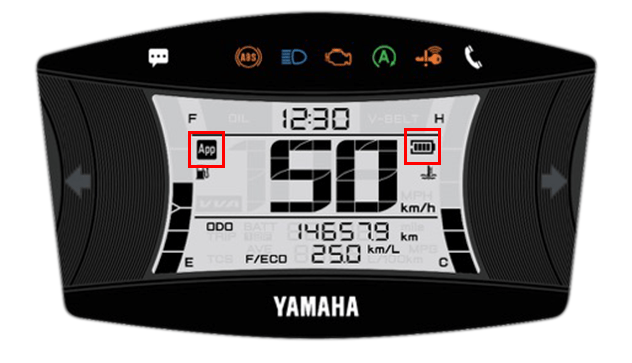
■Connection display
您可以使用 Y-Connect 检查连接状态。
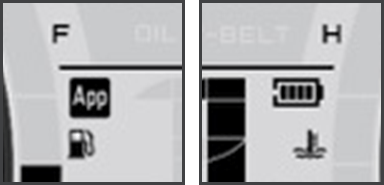
The "App" icon and "Phone Batt Status" icon will be displayed when connected.
* For some models, the "Phone Batt Status" icon may not be displayed.
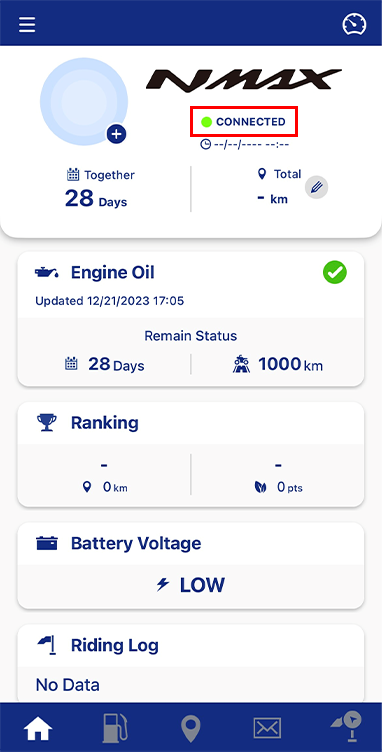
您可以在摩托车名称下的文字中查看连接状态。
隐私政策和使用条款
| 英语 | 公告修订 | 隐私政策 | 使用条款 | 基于位置的服务条款和条件 |
|---|---|---|---|---|
| Korean(한국어) | 國際合作社 | 개인정보 처리방침 | 이용약관 | 위치기반서비스 ה용약관 |