Skip to Main Contents

Yamaha Motor On - HOW TO USE

Enhance every ride

01|Create an account / Vehicle Pairing / Home Screen

02|Maintenance
Maintenance

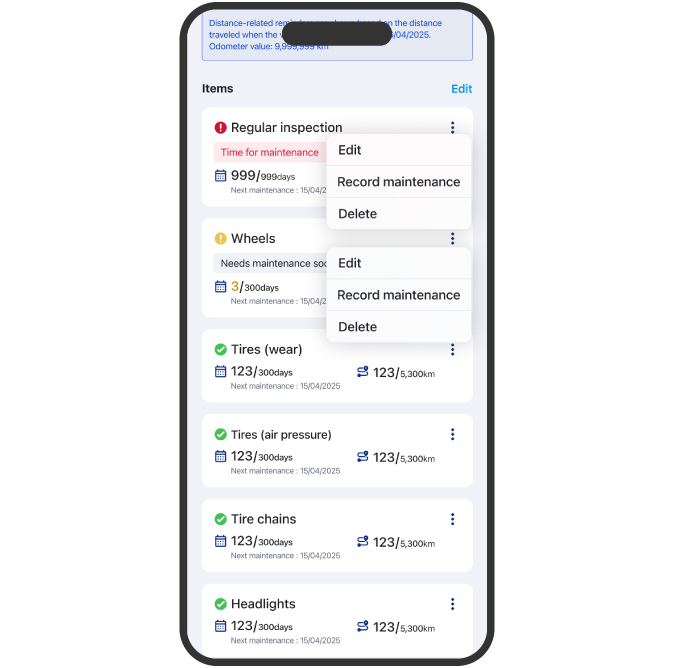
Confirm maintenance information

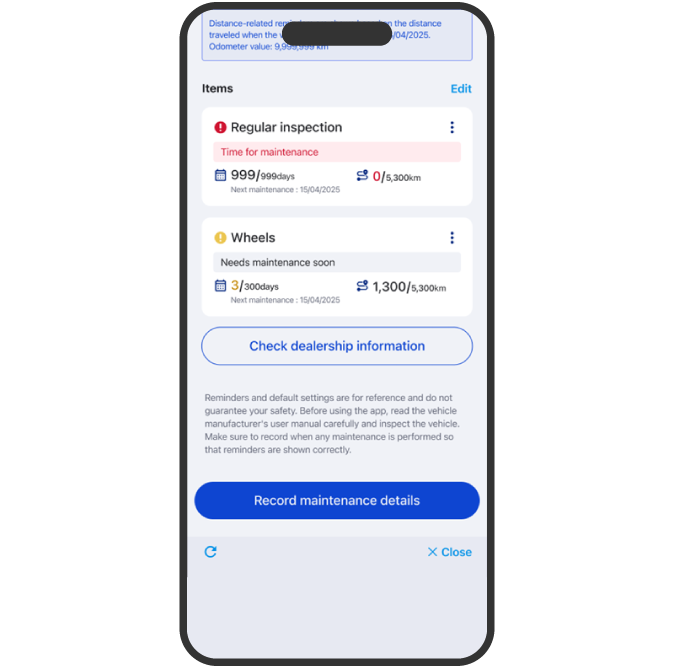
A status is displayed for each item based on the remaining days or distance until maintenance.
When the status turns red, a notification will be sent through the app.

Confirm maintenance information

User can enter maintenance records by date, including items, costs, and dealer location.

Maintenance

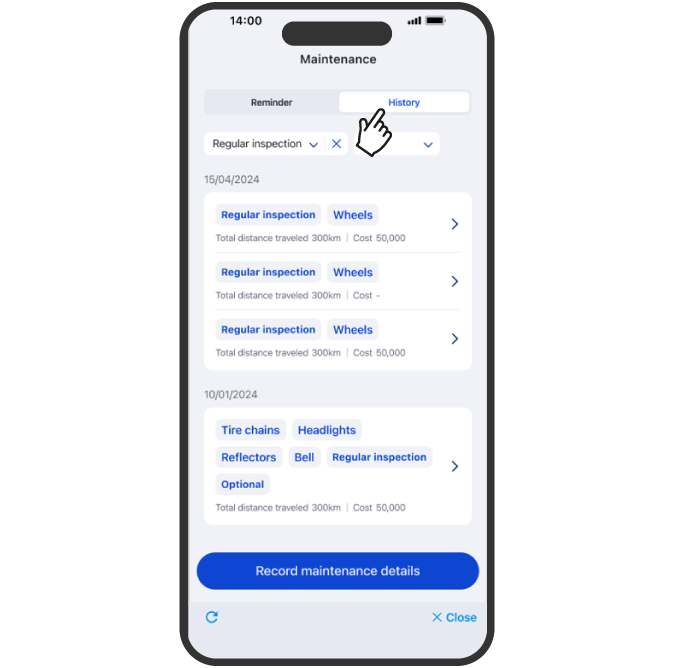
Check maintenance records

User can view and search recorded maintenance history.

Maintenance

Set maintenance frequency

Users can set the maintenance frequency for each part.
For periodic inspections, tire pressure and Chain maintenance, users can choose between a “standard” and “custom” settings.
For other parts, only “custom settings” are available, allowing users to adjust the frequency based on their usages.

03|Assist Tuning

04|Authentication, Battery Settings

05|Firmware Update
Firmware Update

Firmware Update

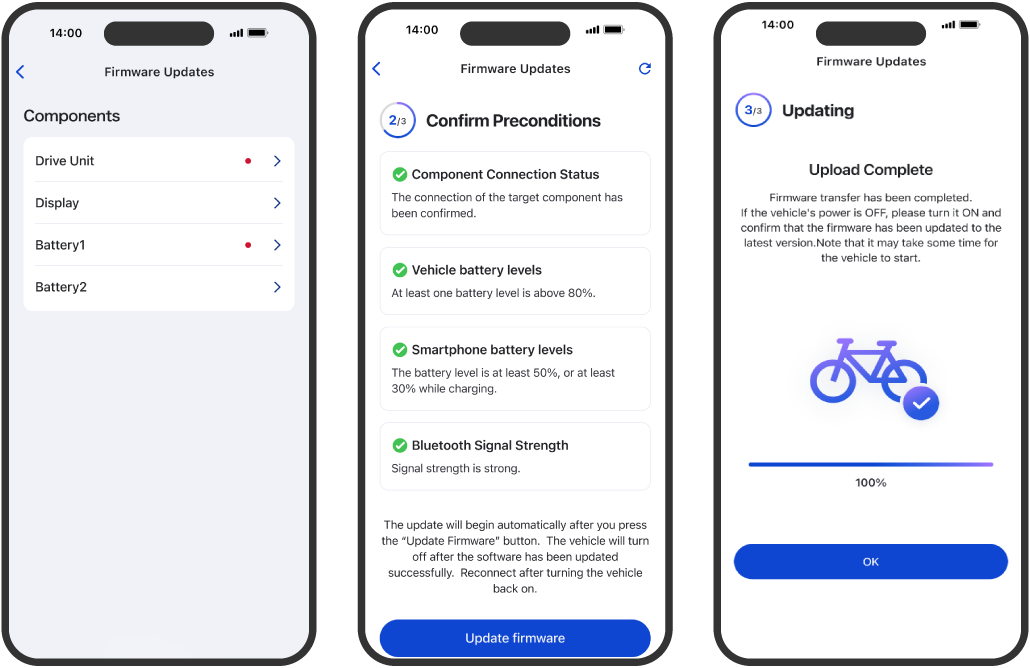
Each e-Kit component can be updated individually, so you can always enjoy the latest services.

06|Other Vehicle Settings

Other Vehicle Settings

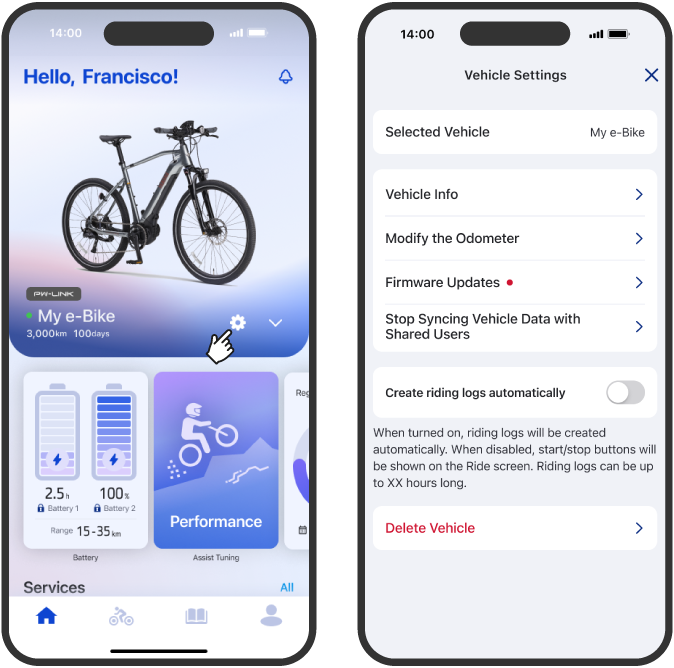
Vehicle Settings

Settings for the selected vehicle are shown in a list, and each can be adjusted individually.

07|Widgets

Widgets

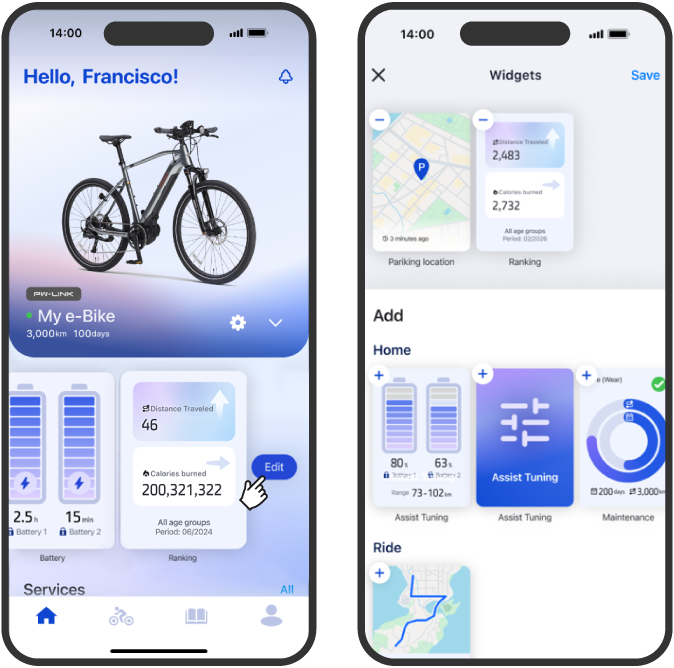
Widget

Set features as widgets to quickly check summaries. You can add and re-arrange widgets on the home screen.

08|Ride Screen

09|Notification

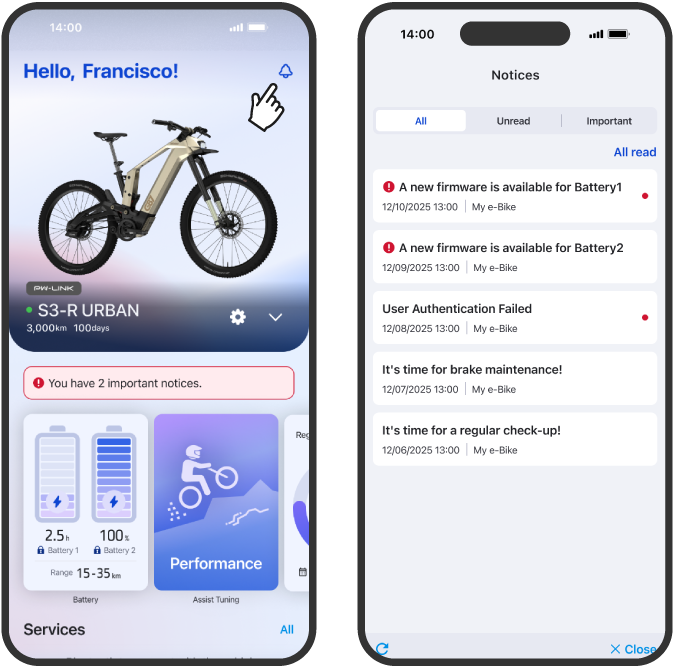
Notification

Check parking location and current location

You can view all notifications related to your registered vehicles and account in one list.
Important notifications are marked as “Notification mark

10|Parking Location

Parking Location

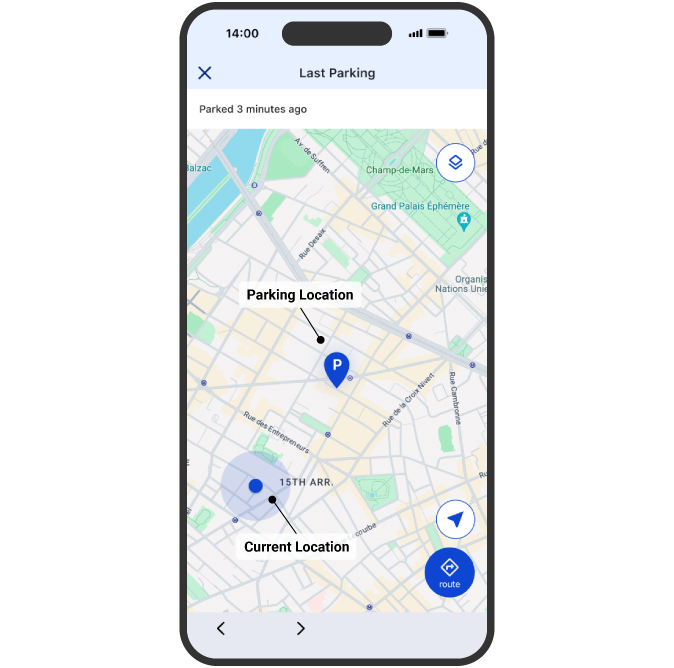
Check parking location and current location

You can check the parking location of your vehicle (Bluetooth disconnected) and your current location on the map.

Parking Location

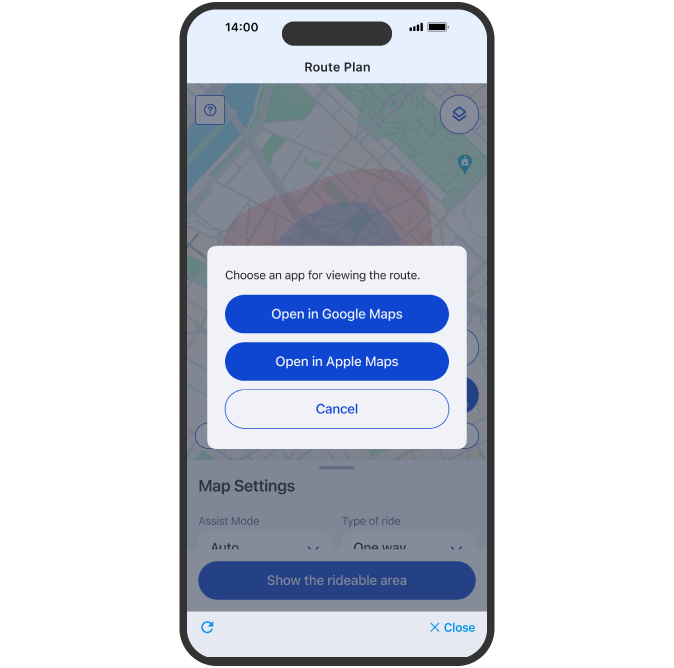
Search route

Select an external map app for route guidance.
Route from current location to parking spot will be shown.

11|Riding Log

Riding Log

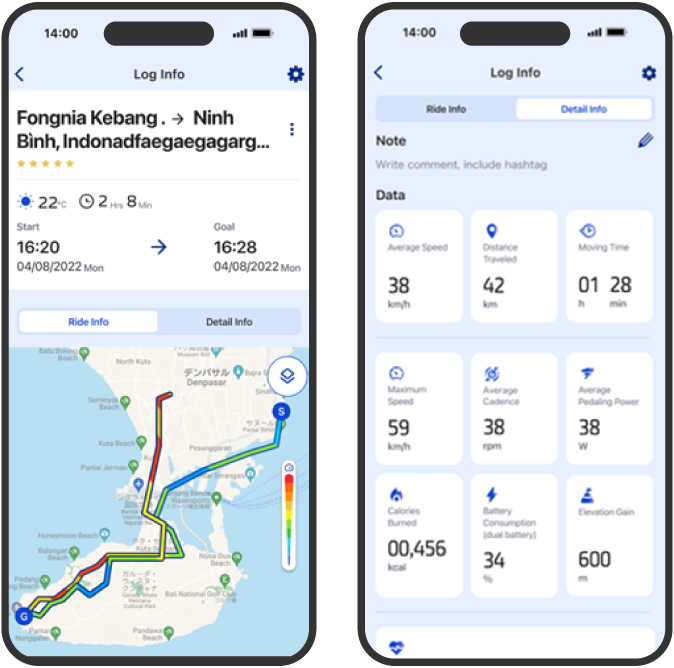
Riding Log

The routes they traveled are recorded on the map, and related information such as photos and notes can be viewed briefly.
If user's Strava account is linked, ride log data can be synced to Strava.

12|Statistics

13|Ranking

Ranking

Ranking

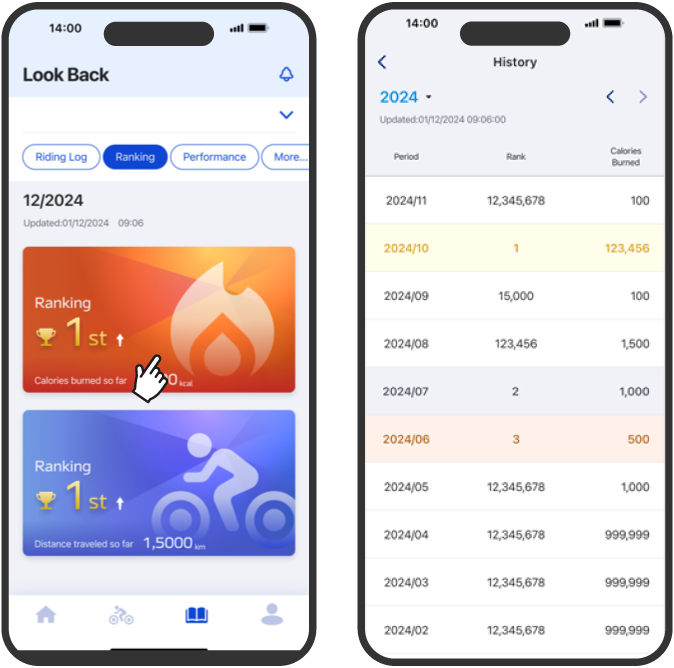
Users can check the rankings of users worldwide. Rankings can be displayed for both riding distance and calories burned.
Users can view their monthly ranking history.

Back to
Top